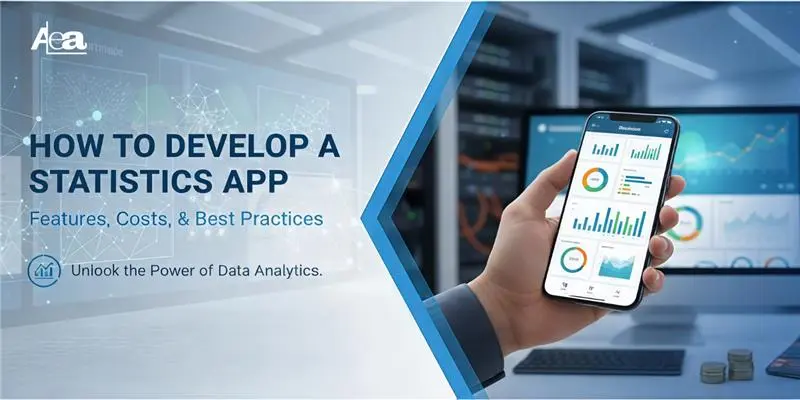
In a world where every click, transaction, and interaction generates data, statistics apps have become the silent powerhouses behind smarter decisions. From predicting patient outcomes in healthcare to analyzing financial market trends, and even enhancing learning outcomes in education, these apps are transforming how industries understand and act on information. With real-time dashboards, automated analytics, and AI-driven insights, statistics apps are no longer optional tools — they’re the new backbone of modern decision-making.
In fact, the global app market saw over 115 billion downloads in 2024 alone, demonstrating the massive demand for mobile solutions like statistics apps that drive data-driven decisions.”
Why Statistics Apps Matter Today
As businesses grow more data-dependent, the need for custom statistics apps continues to surge. Organizations are looking for tools that can simplify complex datasets, offer intuitive visualizations, and generate actionable insights instantly.
Statistics apps help teams move beyond manual spreadsheets and slow reporting cycles, enabling seamless, automated, and highly accurate data analysis.
Whether it’s monitoring KPIs, forecasting performance, understanding user behavior, or assessing risks, a well-engineered statistics app integrates seamlessly into everyday business operations.
It empowers teams to make informed decisions faster, cut operational inefficiencies, and stay competitive in an increasingly analytics-driven world.
What is Statistics Apps
A statistics app is a software application designed to collect, analyze, and visualize data in a user-friendly way. These apps help individuals and businesses turn complex datasets into meaningful insights, often through interactive dashboards, charts, and predictive models. Key functionalities typically include:
- Data Visualization: Transform raw data into graphs, charts, and heatmaps for easier interpretation.
- Predictive Analytics: Use historical data to forecast trends, outcomes, and potential risks.
- Real-Time Analytics: Monitor live data streams to make immediate, informed decisions.
- Custom Reports: Generate detailed reports tailored to specific business or research needs.
With the rise of mobile app development statistics, it’s clear that users increasingly prefer apps that provide instant, actionable insights, whether on a smartphone, tablet, or desktop.
Similarly, app development statistics indicate that analytics-focused apps are among the fastest-growing categories in the software market.
Why Statistics Apps Are Essential Across Industries
Statistics apps are transforming industries by simplifying complex data. In healthcare, they help monitor patient trends and optimize treatments; in finance, they enhance portfolio management and risk assessment; in education, they track student performance and learning outcomes.
By consolidating data into visualizations and predictive models, these apps enable faster, evidence-based decisions. Leveraging AI and advanced technologies, they identify patterns, forecast trends, and automate analysis, making them indispensable tools across sectors. Businesses and individuals can act on data more efficiently, spotting opportunities and addressing challenges with ease.
Types of Statistics Apps
1. Healthcare Statistics Apps
-
Fitbit — Wellness, Activity & Health Stats Tracking
Fitbit combines wearable device integration with app-based analytics, tracking steps, sleep, heart‑rate, calories burned, and other health metrics.
The aggregated data helps users understand patterns (sleep quality vs activity, resting heart rate, etc.) a good use of statistical tracking for personal health. For anyone building a health-focused statistics app, Fitbit shows how combining wearables + app + data visualization can drive high user engagement.
-
MyFitnessPal — Nutrition, Diet & Health Data Analytics
MyFitnessPal uses a vast food database and tracks meals, calories, macros, and integrates that data with activity stats to provide insights on nutrition vs activity vs weight goals. This demonstrates how statistics apps can go beyond raw numbers combining multiple data streams (diet + activity + health metrics) to provide meaningful analytics for wellness or health‑management use cases.
-
Epic Systems Patient Monitoring Apps
Epic Systems’ apps provide a centralized platform for tracking patient vitals, lab results, imaging reports, and medical histories.
Doctors and nurses can monitor trends over time, identify early warning signs, and prioritize care for high-risk patients. Hospitals use these dashboards to reduce errors, optimize staff workflow, and improve patient safety.
-
Cerner Clinical Decision Support Apps
Cerner apps offer real-time analytics for clinical decision-making, helping doctors adjust treatment plans instantly based on patient condition changes. These apps can flag potential complications, medication interactions, and abnormal lab results, enabling proactive interventions.
-
IBM Watson Health Predictive Analytics Apps
IBM Watson Health uses AI and machine learning to forecast patient risks, suggest personalized treatment options, and predict readmissions. Hospitals leverage these predictive insights to allocate resources efficiently and improve outcomes for chronic disease management, oncology, and critical care patients.
2. Finance & Banking Statistics Apps:
-
Bloomberg Terminal Market Analysis Apps
Bloomberg Terminal apps allow financial analysts to track global stock markets, commodities, and currencies in real time. The apps provide historical trend analysis, market forecasts, and alert notifications, helping investors make informed trading decisions quickly.
-
Robinhood Investment Tracking Apps
Robinhood’s apps focus on portfolio management and real-time investment monitoring. Users can track individual asset performance, gains/losses, and diversification, helping both beginners and advanced investors optimize their portfolios.
-
Wealthfront Risk & Predictive Modeling Apps
Wealthfront integrates predictive modeling and risk assessment tools to forecast market fluctuations and suggest portfolio adjustments. Banks and investment firms use these apps to anticipate risks, minimize losses, and maximize returns through AI-driven insights.
3. Education Statistics Apps:
-
BYJU’S Personalized Learning Apps
BYJU’S apps analyze student performance data to create adaptive learning paths. By using quizzes, exercises, and progress tracking, the app recommends topics for review, identifies learning gaps, and ensures personalized growth.
-
Khan Academy Adaptive Learning Apps
Khan Academy uses student activity and performance data to adapt lessons to individual learning speeds. Teachers can monitor class-wide trends, identify struggling students, and tailor lessons to optimize comprehension and engagement.
-
Duolingo Language Learning Analytics Apps
Duolingo tracks learner behavior to adjust difficulty levels, recommend exercises, and measure language proficiency progress. Gamified statistics encourage engagement while improving learning outcomes.
-
Canvas LMS & Schoology Institutional Analytics Apps
These apps provide dashboards for administrators and educators to track student engagement, course completion, and learning patterns across entire institutions. They help in curriculum planning, student retention strategies, and performance evaluation.
4. Retail & eCommerce Statistics Apps:
-
Shopify Sales Analytics Apps
Shopify Analytics tracks sales trends, revenue, product performance, and seasonal fluctuations. Retailers can make informed decisions on inventory restocking, promotions, and marketing strategies to improve profitability.
-
Magento Inventory & Demand Forecasting Apps
Magento apps help businesses predict demand, optimize inventory levels, and reduce overstock or stockouts. Predictive analytics allow retailers to plan ahead for peak seasons and improve supply chain efficiency.
-
Salesforce Customer Segmentation & Marketing Analytics Apps
Salesforce apps analyze customer behavior, preferences, and purchasing patterns, enabling personalized marketing campaigns, loyalty programs, and retention strategies.
-
Optimizely A/B Testing Apps
Optimizely allows retailers to experiment with website layouts, pricing, and promotional campaigns, measure outcomes, and optimize strategies for higher conversion rates.
5. Sports & Fitness Statistics Apps:
-
Football & Soccer Analytics Apps (Opta Sports, Stats Perform)
Football analytics apps monitor player movements, game tactics, ball possession, and match outcomes. Clubs use this data for tactical planning, player development, and scouting new talent.
-
Basketball Statistics Apps (NBA Stats, Basketball Reference)
These apps track player statistics, shooting accuracy, assists, rebounds, and defensive metrics. Coaches and analysts use these insights to refine strategies, scout opponents, and optimize player performance.
-
Fitness Tracking Apps (Strava, Fitbit, MyFitnessPal)
Fitness apps track workouts, heart rate, steps, sleep, and nutrition. Users receive personalized recommendations and progress insights, helping them achieve fitness goals safely and efficiently.
-
Injury Prevention & Recovery Apps (Whoop, Catapult Sports)
These apps use wearables and analytics to monitor athlete fatigue, stress, and recovery, reducing injury risks and optimizing training schedules for peak performance.
6. Government & Public Sector Statistics Apps:
-
HealthMap Public Health Monitoring Apps
HealthMap and similar apps track disease outbreaks, vaccination coverage, and healthcare capacity, helping governments respond quickly to public health threats.
-
UNESCO & OECD Education Analytics Apps
These apps track literacy rates, school performance, and education quality metrics, enabling policy planning and resource allocation for educational improvement.
-
OpenGov Policy-Making & Resource Allocation Apps
OpenGov apps help governments allocate budgets, plan infrastructure projects, and manage disaster response efforts using data-driven insights.
-
Census Bureau & Government Data Tools
Government statistical tools provide demographic, economic, and social data for urban planning, policymaking, and optimizing citizen services.
Technologies Involved in Building Statistics Apps
1. Data Management Technologies
-
Databases: SQL & NoSQL
Handling large datasets requires robust database solutions. SQL databases like MySQL and PostgreSQL are excellent for structured data, while NoSQL databases such as MongoDB and Cassandra are ideal for unstructured or semi-structured data.
-
Cloud Solutions: AWS & Google Cloud
Cloud platforms enable scalable storage and computation. AWS, Google Cloud, and Microsoft Azure offer secure, reliable infrastructure for managing and processing big data efficiently.
2. Programming Languages & Frameworks
-
Popular Languages
Languages like Python, R, and JavaScript are widely used in statistics app development. Python and R excel in data analysis and machine learning, while JavaScript is key for interactive front-end features.
-
Frameworks for App Development
Frameworks such as React and Angular are commonly used to build responsive, user-friendly interfaces that display statistical data effectively.
3. Data Visualization Tools
-
Interactive Charts & Graphs
Visualization tools transform raw data into meaningful insights. Libraries like D3.js and Chart.js help developers create interactive, dynamic charts and dashboards.
-
Business Intelligence Platforms
Platforms like Tableau and Power BI enable advanced analytics, allowing users to generate reports and visualize complex datasets with ease.
4. Machine Learning & AI
-
Predictive Analytics
AI algorithms, including regression models, decision trees, and neural networks, help forecast trends, detect anomalies, and automate decision-making.
-
Deep Learning & Automation
Deep learning models are used for pattern recognition, predictive modeling, and processing large datasets to generate actionable insights.
5. API Integration
-
Real-Time Data Fetching
Integrating external APIs like Google Analytics API, financial market APIs, or weather data APIs allows apps to access up-to-date data for real-time analysis.
-
Enhanced Functionality
APIs enrich the app by providing additional functionalities, such as social media analytics, payment tracking, or geolocation-based insights.
6. Mobile App Development
-
On-the-Go Data Analysis
Mobile apps for iOS and Android let users access statistical dashboards and perform data analysis anytime, anywhere.
-
Mobile App Development Statistics
According to recent mobile app development statistics, analytics apps are among the most downloaded and frequently used categories, emphasizing the growing demand for on-the-go data solutions.
App development statistics indicate that interactive and data-driven apps have higher engagement rates, highlighting the importance of responsive UI/UX design and real-time analytics integration.
Cost to Develop a Statistics App: Key Breakdown
Developing a statistics app involves several stages, each contributing to the overall cost. These stages depend on factors like the app’s complexity, features, and the level of customization required. Here’s a breakdown of the key cost components:
| Step | Description | Estimated Cost |
| 1. Requirement Analysis | Understand the app’s purpose, target audience, and key features. This step ensures the app meets user needs and business goals. | $2,000 – $5,000 |
| 2. Design & Prototyping | Create wireframes and prototypes to visualize app flow and user experience before development begins. | $3,000 – $8,000 |
| 3. Development | Actual coding and programming of the app. This includes backend, frontend, and database integration. | $10,000 – $25,000 |
| 4. Testing & Quality Assurance | Thorough testing to identify bugs, issues, and ensure functionality across all devices. | $3,000 – $7,000 |
| 5. Launch & Deployment | Deploy the app to app stores and servers, ensuring smooth integration with existing systems. | $1,000 – $3,000 |
| 6. Post-Launch Support | Ongoing support and updates to maintain the app’s performance and incorporate user feedback. | $2,000 – $5,000 (annual) |
Conclusion
Statistics apps are transforming industries like healthcare, finance, education, and retail by simplifying data, providing real-time insights, and enabling predictive analytics. These tools help organizations make smarter decisions, optimize operations, and stay ahead in a data-driven world.
For businesses seeking a competitive edge, partnering with a custom mobile app development company to build a tailored statistics app can unlock significant value. Whether it’s enhancing decision-making or visualizing complex datasets, a well-designed app turns data into actionable insights.
Ready to take the next step? Explore our resources—whitepapers, case studies, and expert consultations—to start building your powerful statistics app today.
FAQs: Statistics Apps Development
1. What are the main features of a statistics app?
Interactive dashboards, real-time analytics, predictive modeling, custom reports, and API integration.
2. What technologies are best for building a statistics app?
Python, R, JavaScript, React, Angular, Flutter, SQL/NoSQL, AWS, Google Cloud, D3.js, Tableau.
3. How much does it cost to develop a statistics app?
Costs range from $20,000 to $100,000+, depending on complexity and features.
4. Can statistics apps work on mobile devices?
Yes, mobile-first development allows access to data anytime on iOS and Android devices.
5. How long does it take to develop a statistics app?
Development typically takes 3–6 months depending on features and platform.
6. Is AI necessary in a statistics app?
Not always, but AI enhances predictive analytics and real-time insights.