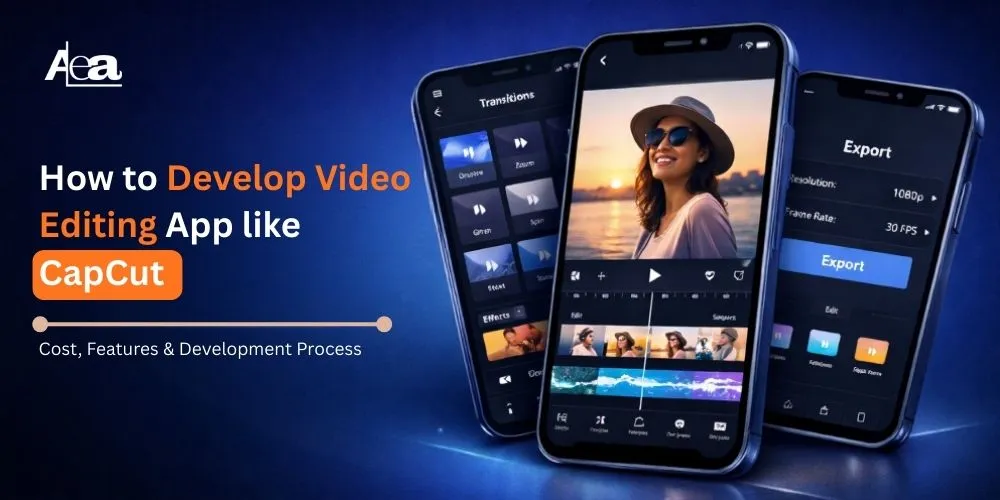
The video editing app market continues to expand rapidly in 2026, driven by the dominance of short-form video content and the sustained growth of the global creator economy. Video has become the primary medium for digital communication, entertainment, and brand engagement across platforms.
By 2026, the mobile video editing market has crossed significant valuation milestones, growing at a strong double-digit CAGR, fueled by widespread smartphone adoption, advanced AI-powered editing capabilities, and social-media-first content strategies. Innovations such as real-time rendering, generative effects, and automated editing workflows have further accelerated adoption.
Creators increasingly depend on mobile-first solutions, making a video editing app for Android and iOS essential for producing content for Instagram Reels, TikTok, YouTube Shorts, and emerging video platforms. With more than 70% of social media traffic now driven by video, demand for fast, intuitive, and feature-rich editing apps continues to surge.
Apps like CapCut have set industry benchmarks by combining ease of use, AI-driven templates, and seamless social publishing. Their success highlights a strong opportunity for businesses to develop scalable, competitive, and future-ready video editing applications in 2026.
What Is a Video Editing App?
A video editing app allows users to create, edit, and enhance videos on mobile devices or desktops. These apps simplify complex editing tasks, making it easy for beginners and pros alike to produce high-quality videos without professional skills.
For Android and iOS, video editing apps offer powerful features like AI-powered tools, background removal, smart cropping, and one-tap enhancements. Whether you’re editing videos for TikTok, Instagram, YouTube, or business promotions, these apps provide fast, easy editing with social-media-friendly export options.
From adding music and voiceovers to creating special effects and slow-motion edits, video editing apps help users create engaging content quickly and efficiently, all from the palm of your hand.
How Does a Video Editing App Work?
A video editing app works by processing raw media files through a combination of user interface controls, media processing engines, and system-level optimizations to convert unedited footage into a finalized video. The workflow is designed to balance real-time responsiveness with high-quality output, especially in modern mobile environments.
When a user imports videos, images, or audio, the app first decodes the media using supported codecs and creates lightweight preview files to ensure smooth playback during editing.
These preview layers allow users to trim clips, arrange sequences on a timeline, add transitions, text, effects, and adjust audio without altering the original files. Most editing actions are applied as non-destructive edits, meaning changes are stored as metadata rather than modifying the source media.
During the editing process, the app continuously renders previews in real time using CPU and GPU acceleration. On mobile devices, hardware-accelerated rendering is critical to maintain performance and battery efficiency.
Advanced apps also leverage AI models to automate tasks such as scene detection, caption generation, background removal, and visual enhancement while the user edits.
Once editing is complete, the app moves to the export stage. All applied edits, effects, and AI enhancements are processed and rendered into a single output file using optimized encoding pipelines.
The final video is compressed and formatted based on the selected resolution and platform requirements, ensuring compatibility with social media and streaming platforms. After export, videos can be saved locally, synced to the cloud, or shared directly to social channels.
This streamlined workflow enables video editing apps to deliver fast, flexible, and professional-quality results across devices and use cases.
The video editing app market in 2026 is driven by the demand for intuitive, high-performance platforms. Mobile app statistics show a sharp rise in video editing app downloads and user engagement, with AI-powered automation, real-time rendering, cloud-based editing, and multi-platform publishing leading the charge. Users expect professional-quality results with minimal effort, making these features essential for competitive advantage.
Android video editing apps, in particular, gain an edge in regions where Android dominates, accounting for over 70% of mobile users in key markets. Key differentiators include localization, multilingual support, cross-device syncing, and cloud collaboration.
Key Features of a Modern Video Editing App
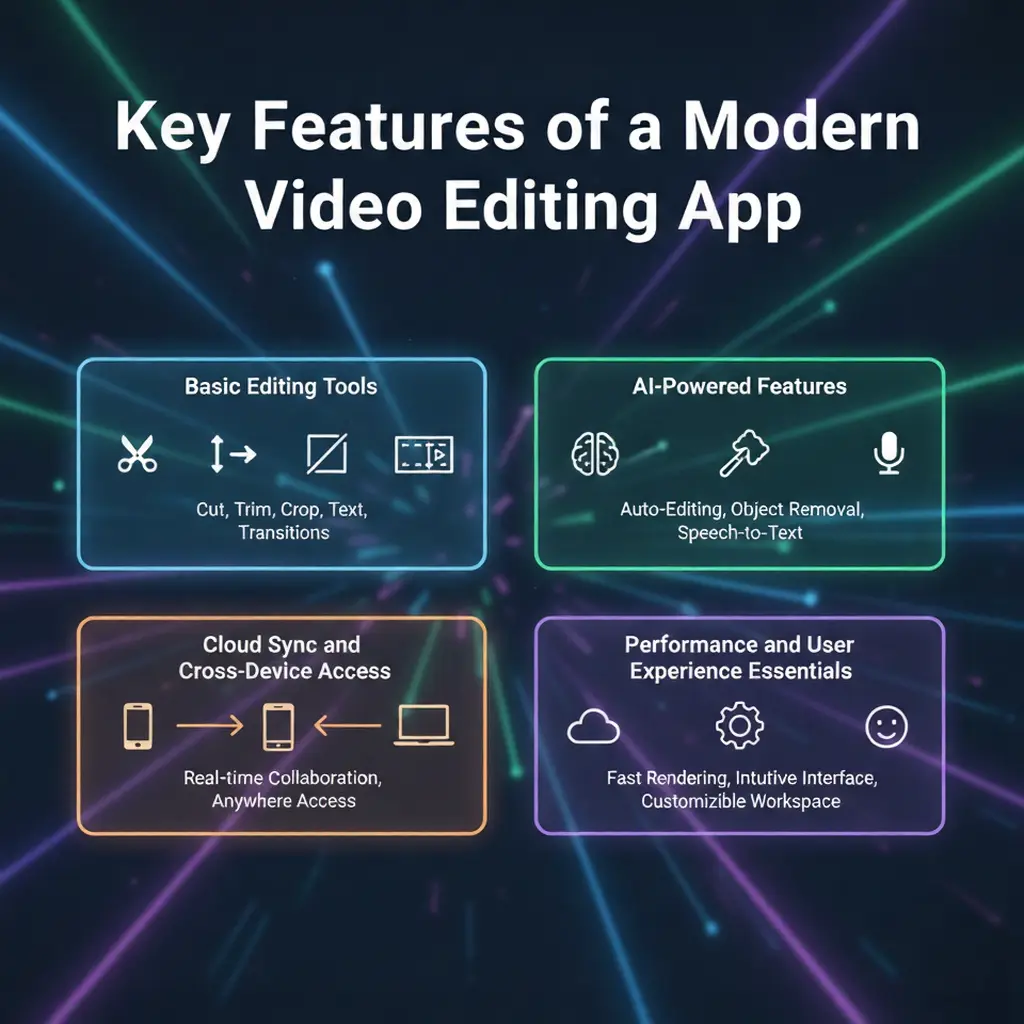
A modern video editing app must deliver speed, simplicity, and intelligent automation to meet the expectations of today’s creators. In 2026, users expect mobile-first tools that enable professional-quality editing with minimal effort, especially on a video editing app for Android and iOS.
1. Basic Editing Tools
Core editing features form the foundation of any video editing app. These include clip trimming, splitting, merging, multi-layer timeline editing, transitions, filters, text overlays, and audio integration. Export options optimized for social platforms ensure videos are ready for instant publishing across formats and resolutions.
2. AI-Powered Features
AI has become central to modern video editing. Key capabilities include automatic captions, background removal, smart cropping for different aspect ratios, AI-based color correction, noise reduction, and template-driven video creation. These features significantly reduce editing time while improving output quality.
3. Cloud Sync and Cross-Device Access
Cloud synchronization enables users to save projects, access assets, and continue editing across multiple devices. It also supports real-time backups, collaboration, and scalable storage critical for creators managing frequent content production.
4. Performance and User Experience Essentials
High performance is non-negotiable in 2026. A modern video editing app must offer fast rendering, smooth previews, low latency, and optimized performance across devices. An intuitive UI, responsive controls, and reliable stability are essential to retaining users in a competitive market.
Video Editing App Development Process
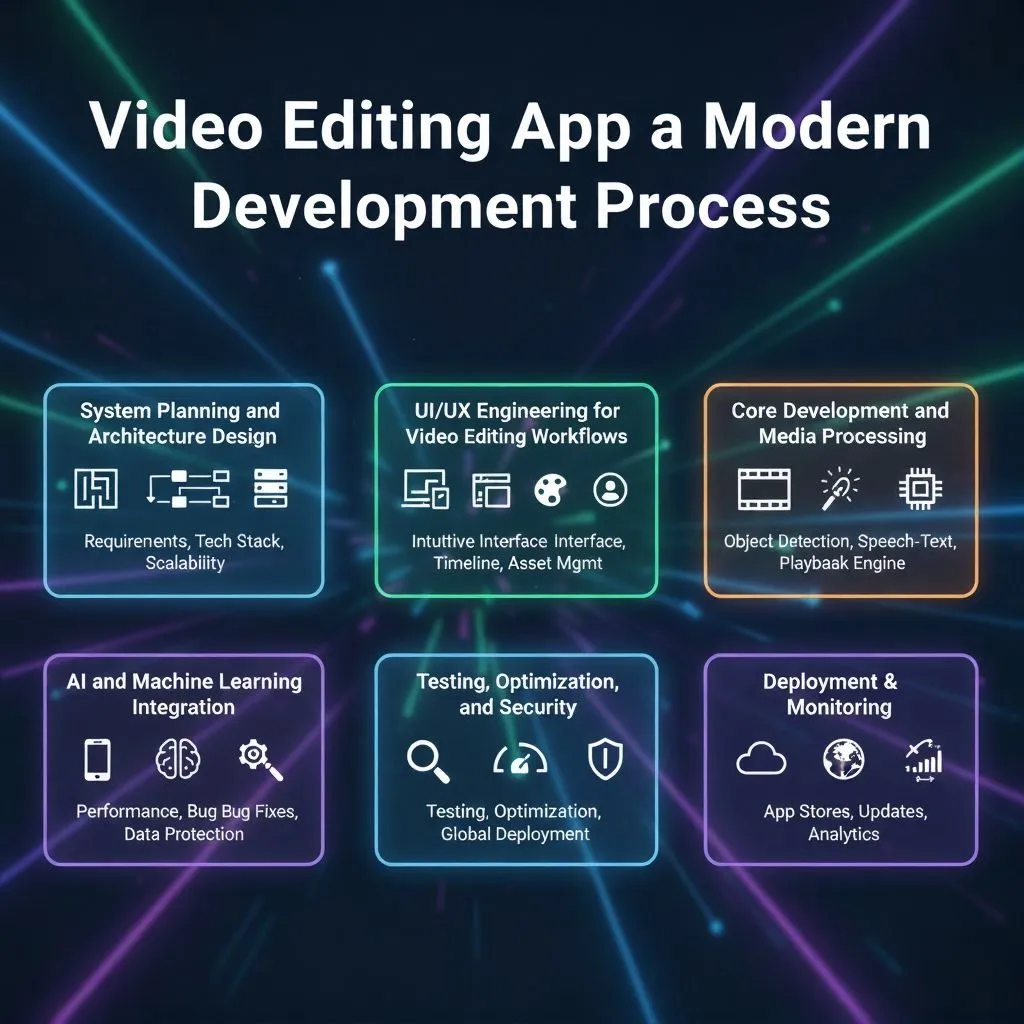
Developing a scalable and high-performance video editing app requires a technically sound architecture, optimized media pipelines, and efficient use of device resources. Modern mobile video editing apps are built to handle real-time video processing, AI-driven automation, and cross-device workflows, particularly for a video editing app for Android, where hardware diversity adds complexity.
1. System Planning and Architecture Design
The process begins with defining the application architecture, including client-side processing, backend services, and cloud infrastructure. Key decisions involve selecting on-device vs server-side video processing, defining media pipelines, and planning for scalability. For Android-focused development, considerations include hardware acceleration support, codec compatibility, memory management, and battery optimization.
2. UI/UX Engineering for Video Editing Workflows
UI/UX design is translated into technically efficient components such as timeline engines, gesture-based controls, and real-time preview renderers. Engineers focus on minimizing UI latency, optimizing frame rendering, and ensuring smooth playback during edits. In mobile video editing apps, responsive touch interactions and low-latency previews are critical to user experience.
3. Core Development and Media Processing
Development centers around implementing video decoding, encoding, and rendering pipelines using platform-native frameworks and libraries. This includes handling multi-track timelines, audio-video synchronization, and efficient file I/O operations. For a video editing app for Android, leveraging GPU acceleration, hardware codecs, and multi-threading is essential to ensure smooth editing and fast exports across devices.
4. AI and Machine Learning Integration
AI integration involves embedding machine learning models for tasks such as speech-to-text captions, object detection, background segmentation, noise reduction, and auto-enhancements. Depending on performance requirements, models may run on-device or via cloud inference APIs. Efficient model optimization is critical to maintain real-time performance without excessive resource consumption.
5. Testing, Optimization, and Security
Testing includes performance benchmarking, stress testing, and memory profiling across multiple devices and OS versions. Quality assurance focuses on frame accuracy, export stability, and crash prevention during long editing sessions. Security measures such as secure media storage, encrypted cloud sync, and access control are implemented to protect user data.
6. Deployment, Monitoring, and Continuous Improvement
After deployment, monitoring tools track rendering times, crash logs, and feature usage. Continuous optimization involves improving encoding efficiency, reducing export times, refining AI models, and rolling out performance updates. Regular improvements ensure the video editing app remains stable, fast, and competitive in a rapidly evolving market.
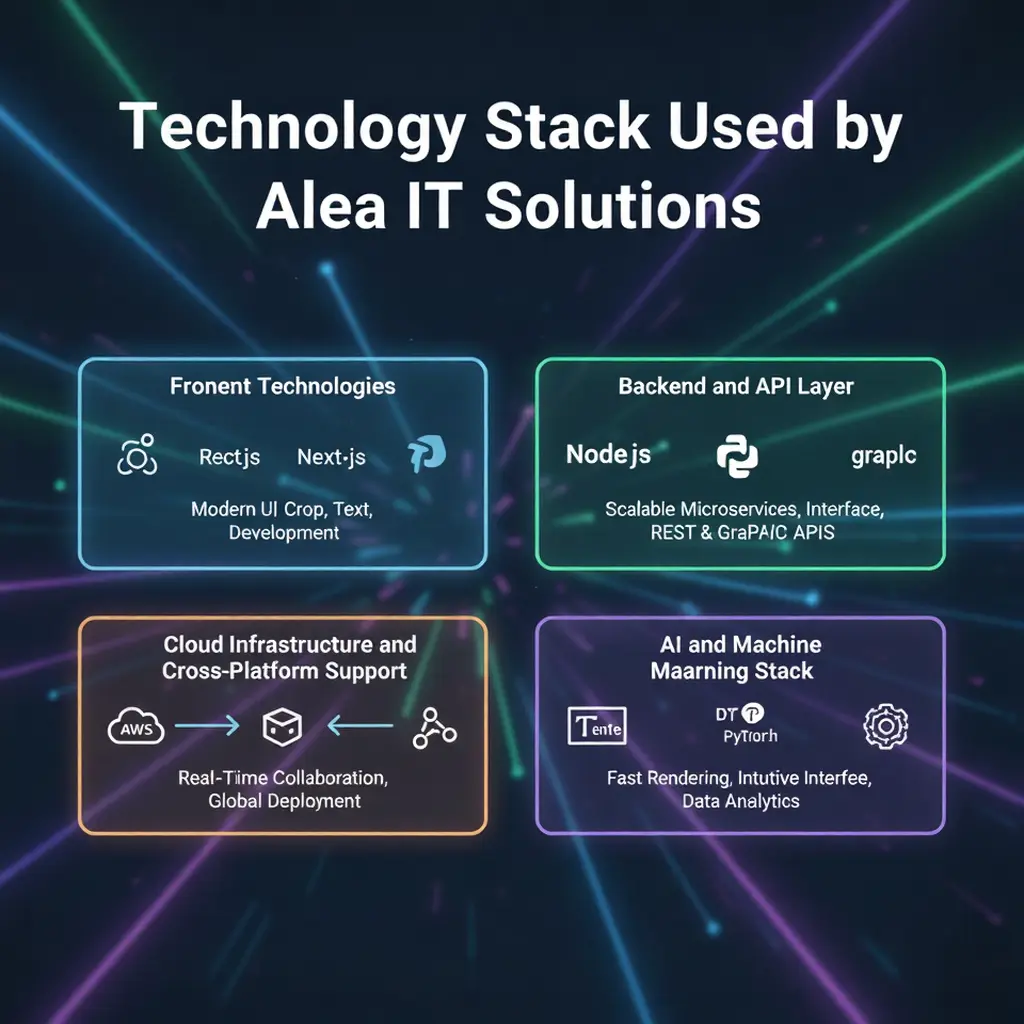
1. Frontend Technologies
For mobile interfaces, Alea IT Solutions engineers intuitive and high-performance UIs optimized for a video editing app for Android, using Kotlin and native Android frameworks. Emphasis is placed on efficient timeline rendering, GPU-accelerated previews, gesture-based interactions, and smooth playback across devices with varying hardware capabilities.
2. Backend and API Layer
The backend architecture supports scalable mobile video editing apps by handling user authentication, project metadata, asset management, and synchronization services. Microservices built with Node.js or Python communicate through secure REST or GraphQL APIs, while databases like PostgreSQL and MongoDB ensure reliable data storage and fast retrieval.
3. Video Processing and Media Pipeline
Alea IT Solutions implements optimized media pipelines for Video editing mobile apps, combining on-device processing with server-side transcoding where required. Hardware-accelerated encoding, efficient codec handling, and MPEG-based workflows ensure smooth editing, accurate audio-video synchronization, and high-quality exports.
3. AI and Machine Learning Stack
Advanced AI video editing capabilities are powered through machine learning models for auto-captions, background segmentation, smart cropping, audio enhancement, and visual optimization. Models are developed using TensorFlow and PyTorch, with deployment strategies optimized for either on-device inference or cloud-based processing depending on performance needs.
Cloud Infrastructure and Cross-Platform Support
To support cross-platform scalability, including experiences comparable to the best video editing app for iPhone, Alea IT Solutions deploys cloud infrastructure on AWS, Google Cloud, or Azure. This includes object storage, CDN integration, containerized services, CI/CD pipelines, and monitoring systems to ensure performance, security, and global availability.
AI in Video Editing App Development
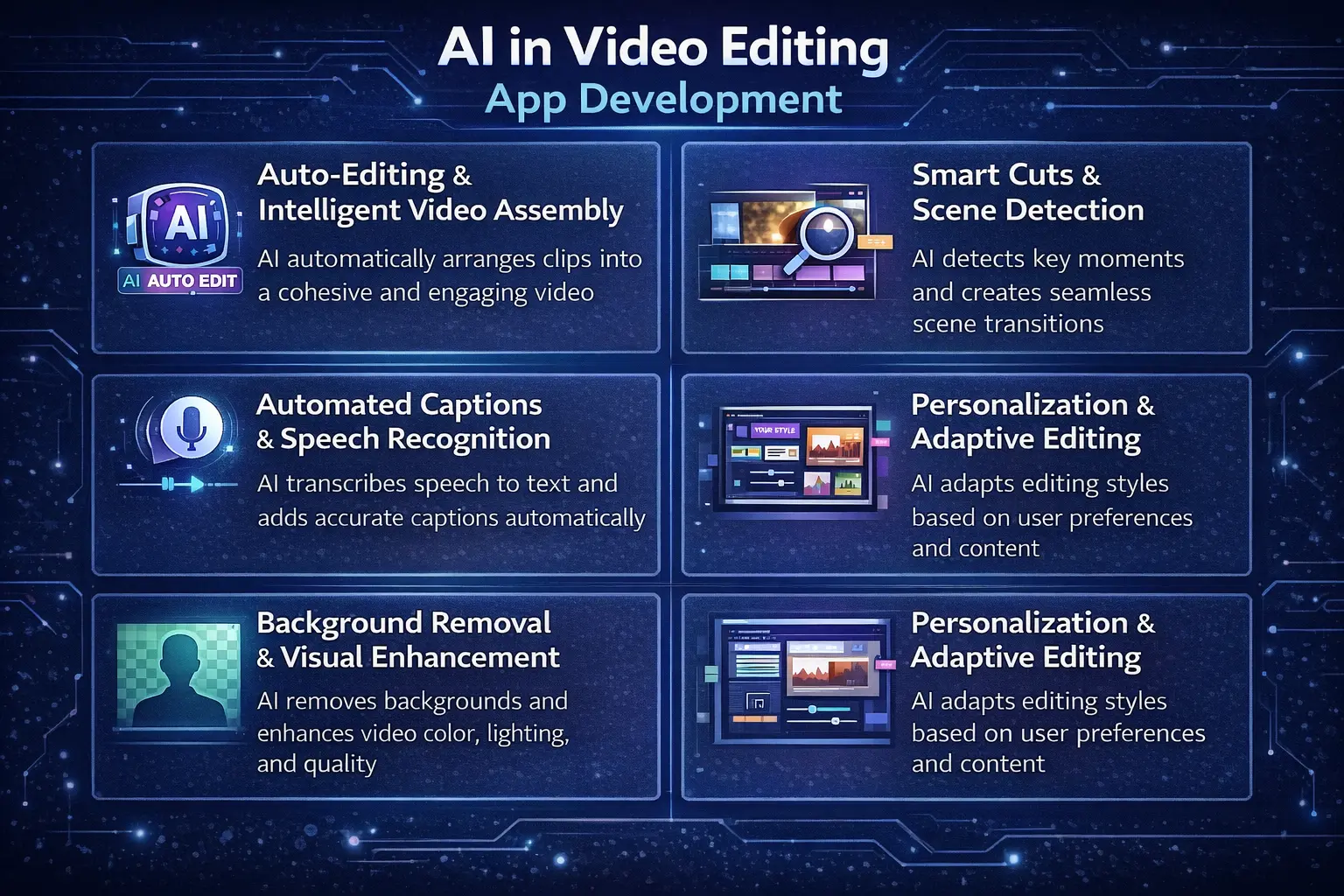
Artificial Intelligence has become a core component of modern video editing app development, transforming how users create, edit, and personalize video content. In 2026, AI-driven capabilities significantly reduce manual effort, accelerate editing workflows, and enable professional-quality results even for non-technical users.
As more businesses turn to AI app development company, the integration of advanced AI features such as automated video editing, smart filters, and real-time scene recognition will become standard in high-performance video editing apps, enhancing user experience and creativity.
1. Auto-Editing and Intelligent Video Assembly
AI-powered auto-editing analyzes raw footage to identify key moments, optimal clip lengths, scene transitions, and pacing. By detecting motion, facial expressions, audio peaks, and visual quality, AI can automatically assemble videos that align with platform-specific formats such as reels or shorts. This functionality allows creators to produce polished content in minutes rather than hours.
2. Smart Cuts and Scene Detection
Smart cut technology uses computer vision and audio analysis to detect scene changes, silence gaps, repetitive frames, and low-quality segments. AI algorithms automatically trim unnecessary portions, maintain narrative flow, and ensure smooth transitions. This improves editing efficiency while preserving content quality, especially for long-form recordings and vlogs.
3. Automated Captions and Speech Recognition
AI-based speech-to-text engines generate accurate, time-synced captions in multiple languages. These systems use natural language processing to handle accents, background noise, and contextual phrasing. Automated captions improve accessibility, engagement, and search visibility while eliminating the need for manual subtitle creation.
4. Background Removal and Visual Enhancement
Background removal relies on deep learning-based segmentation models that isolate subjects without requiring green screens. This enables creators to replace or blur backgrounds, apply cinematic effects, and enhance visual focus. AI-driven color correction, lighting adjustment, and noise reduction further improve video quality with minimal user input.
5. Personalization and Adaptive Editing
AI enables personalized editing experiences by learning user preferences, editing styles, and content goals. Recommendation engines suggest templates, effects, music, and layouts based on past behavior and trending formats. This adaptive approach increases user engagement, accelerates content creation, and helps creators maintain consistent visual branding.
Cost of Video Editing App Development
|
App Type |
Features | Estimated Cost |
|
Basic Video Editing App |
Basic tools (cut, trim, merge, filters) | $20,000 – $40,000 |
|
Intermediate App |
Advanced tools (effects, transitions, text, audio) | $40,000 – $70,000 |
|
Advanced App |
AI features, real-time rendering, cloud sync, multi-layers | $70,000 – $150,000+ |
| Platform Development | Android or iOS (per platform) |
$20,000 – $40,000 |
| UI/UX Design | Custom design |
$5,000 – $15,000 |
| Maintenance | Annual updates, bug fixes |
15-20% of dev cost |
| Backend Services | Cloud storage, user accounts |
Additional cost |
Challenges & Solutions in Video Editing App Development
Alea IT Solutions addresses this with hardware acceleration, GPU-based rendering, optimized codecs, and multi-threaded processing. Storage and media management are handled through cloud-based storage, smart compression, and intelligent caching, while secure cloud sync ensures seamless access across devices.
Scalability is ensured with microservices, containerized deployments, load balancing, and CDN integration. Alea also tackles device fragmentation, network variability, and AI processing costs with adaptive tuning, offline features, and hybrid AI models, ensuring stable, high-performing video editing platforms.
Monetization Models for Video Editing Apps
Monetization plays a crucial role in the long-term sustainability of a video editing app. One of the most effective models is subscription-based pricing, where users pay monthly or annually to access premium features such as high-resolution exports, advanced AI tools, watermark removal, exclusive templates, and cloud storage. Subscriptions provide predictable recurring revenue and encourage ongoing product improvements.
In-app purchases offer flexible monetization by allowing users to buy specific assets such as filters, effects, transitions, music packs, or AI credits. This model works well for creators who prefer one-time purchases rather than recurring subscriptions. It also enables upselling without restricting basic functionality.
Ad-based monetization is commonly used in free versions of video editing apps. When implemented carefully—such as displaying ads outside the editing workflow—it can generate revenue without negatively impacting user experience. This model is particularly effective for apps with large user bases and high engagement.
For professional users and organizations, enterprise licensing provides advanced monetization opportunities. Businesses can pay for branded templates, team collaboration features, workflow automation, analytics dashboards, and priority support. A hybrid monetization strategy that combines subscriptions, in-app purchases, ads, and enterprise plans often delivers the best balance between user growth and revenue generation.
Future Trends in Video Editing Apps
The future of video editing apps is being shaped by rapid advancements in artificial intelligence, real-time processing, and creator monetization tools. One of the most impactful trends is AI-generated content, where users can create videos using text prompts, automated storyboarding, and generative visuals. These capabilities dramatically reduce production time and lower the barrier to entry for new creators.
Real-time editing and cloud collaboration are also gaining momentum. Creators increasingly expect seamless editing across devices with instant synchronization and collaborative workflows. Cloud-based editing allows teams to work simultaneously, share assets, and publish content faster.
Another key trend is the integration of creator monetization tools directly within editing apps. Features such as brand collaboration marketplaces, performance analytics, content insights, and revenue tracking empower creators to manage both production and monetization from a single platform.
As video continues to dominate digital engagement, future-ready apps will focus on automation, personalization, and creator empowerment. Businesses that adopt these trends early will gain a strong competitive advantage.
AleaIT Solutions: A Leading Media and Entertainment App Development Company
Alea IT Solutions stands out as a trusted media and entertainment app development company for building scalable, AI-powered video editing applications. With extensive experience in mobile app development, AI integration, and cloud-based architectures, Alea delivers solutions that align with modern creator and business needs. The team focuses on performance, usability, and future readiness rather than one-size-fits-all implementations.
A key strength of Alea IT Solutions is its custom-first approach. Every video editing app is designed based on target users, business goals, monetization strategies, and technical requirements. From intuitive UI/UX design to optimized media processing and AI-driven automation, each component is engineered for long-term scalability.
Alea offers end-to-end development support, covering ideation, architecture planning, design, development, testing, deployment, and post-launch optimization. Continuous performance monitoring, security updates, and feature enhancements ensure the app remains competitive in a fast-evolving market.
FAQs
1. How much does it cost to develop a video editing app?
2. How long does it take to build a video editing app?
Development timelines vary based on scope. A basic MVP usually takes 3–4 months, while a full-featured video editing app with AI integration, scalability, and performance optimization can take 6–9 months or more.
3. What features are essential in a modern video editing app?
Essential features include video trimming, multi-layer timeline editing, transitions, filters, text overlays, audio editing, social-media-ready exports, AI-powered tools such as auto-captions and background removal, and cloud synchronization for cross-device access.
4. Is AI necessary for video editing apps in 2026?
Yes. AI is no longer optional in 2026. Features such as smart cuts, automated captions, background removal, and AI-driven templates are critical for improving user experience, reducing editing time, and staying competitive in the market.
5. Why choose Alea IT Solutions for video editing app development?
Alea IT Solutions offers end-to-end development, AI expertise, scalable architecture, and custom-built solutions tailored to business goals. Their focus on performance, security, and future-ready design makes them a reliable partner for building competitive video editing apps.