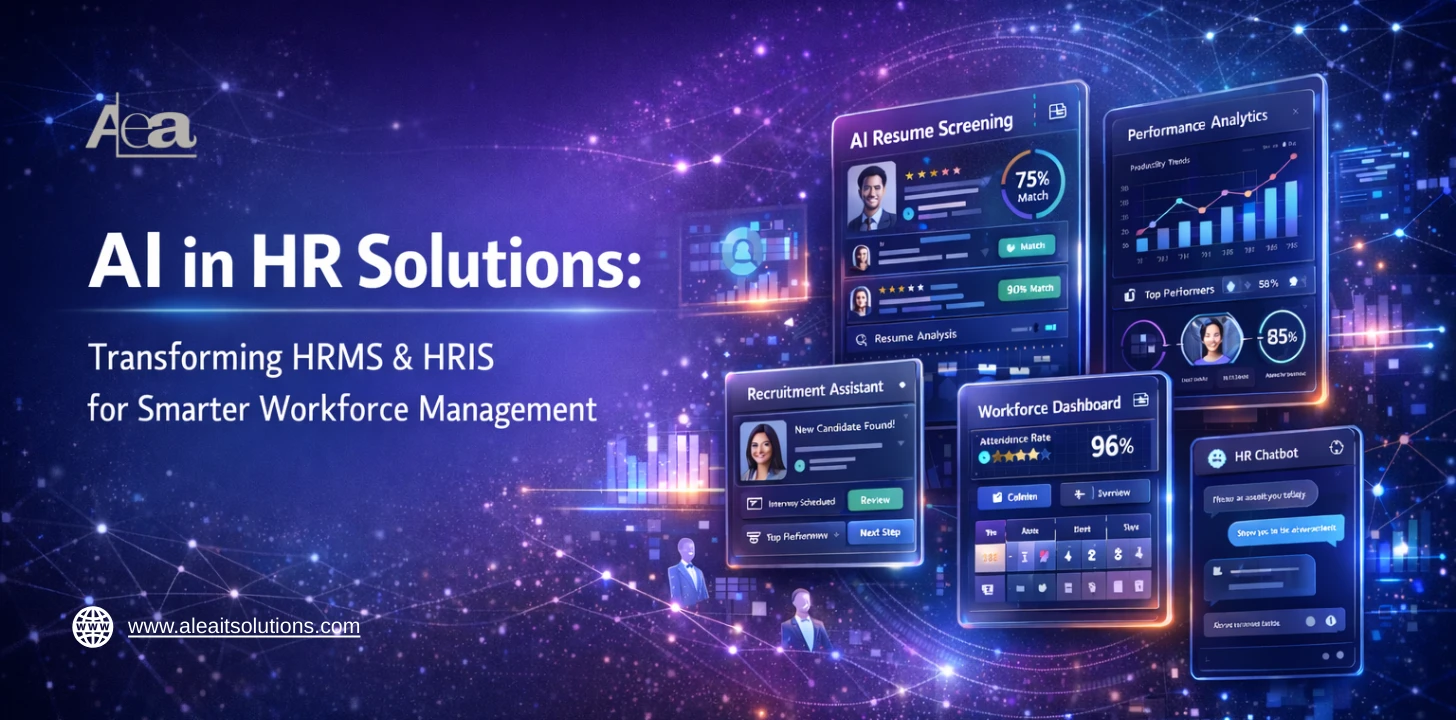
The year 2026 marks the definitive “Human-AI Handshake.” We have moved past the era of viewing AI as a experimental add-on and into an age where Agentic AI systems that autonomously execute complex workflows—serves as the backbone of high-performing organizations.
Today, 76% of HR leaders acknowledge that failing to implement AI solutions puts them at a significant competitive disadvantage. The shift is no longer just about efficiency; it is about strategic agility.
By integrating AI into the core of HRMS and HRIS, companies are seeing a 50% reduction in time-to-hire and up to an 81% decrease in time spent on manual HR tickets.
This blog explores how custom-built, AI-integrated software is transforming HR from a reactive administrative function into a proactive, data-driven engine that predicts attrition, personalizes the employee journey, and unlocks human potential like never before.
Understanding HRMS and HRIS in AI-Powered HR Solutions
A HRIS (Human Resource Information System) is the backbone of HR operations, handling core functions such as employee data management, payroll processing, benefits administration, and compliance tracking. It ensures accurate, centralized HR data, reduces errors, and simplifies day-to-day administrative tasks.
A HRMS (Human Resource Management System) builds on the foundation of HRIS by adding strategic capabilities. Beyond managing employee records, HRMS integrates talent acquisition, performance management, learning and development, and workforce analytics.
This enables organizations to make data-driven decisions, plan workforce needs, and enhance employee engagement.
In AI-powered HR solutions, both HRIS and HRMS benefit from automation, predictive insights, and intelligent analytics, transforming routine HR operations into proactive, strategic initiatives that drive organizational growth.
HRMS vs HRIS: Key Differences
Feature |
HRIS (Human Resource Information System) |
HRMS (Human Resource Management System) |
Primary Focus |
Administrative HR operations—accurate employee records, payroll, benefits, compliance | Strategic HR operations—aligning HR with business goals and workforce optimization |
Core Functions |
Employee data management, payroll processing, leave & attendance tracking, benefits administration, compliance reporting | HRIS functions + talent acquisition, onboarding, performance evaluation, learning & development, workforce analytics, succession planning |
Purpose |
Organizes and maintains HR data—the “what” of HR operations | Uses HR data to drive decisions—the “how” of workforce management |
Analytics & Insights |
Basic reporting, dashboards for administrative oversight | Advanced analytics, predictive insights, trend forecasting, AI-driven recommendations |
AI in HR Solutions |
Automates repetitive tasks (payroll, benefits, record keeping), reduces errors, frees HR staff for higher-value work | Enhances decision-making with predictive analytics, AI-driven talent management, smart workforce planning, real-time insights, and proactive problem detection |
Employee Engagement |
Limited—mainly supports HR communications, leave approvals | High—personalized learning paths, career development recommendations, AI chatbots for support, employee sentiment analysis |
Scalability |
Suitable for small to mid-sized companies with structured HR processes | Ideal for medium to large enterprises needing complex HR strategy, multi-department integration, and analytics |
Compliance & Risk Management |
Tracks legal compliance and labor law adherence | Automates risk detection, flags compliance gaps, and predicts potential HR risks |
Decision Support |
Reactive—provides reports for management decisions | Proactive AI-driven suggestions help HR and leadership make strategic workforce decisions |
Integration |
Often standalone or integrates with payroll/benefits software | Integrates HRIS, payroll, talent management, learning, and analytics into a unified system |
Why AI in HR Solutions Matters
- Time-consuming workflows: Traditional HR tasks like payroll, leave approvals, and record-keeping take significant time and effort, slowing down overall operations.
- High risk of errors: Manual data entry increases mistakes in payroll, benefits, and compliance reporting, leading to costly corrections.
- Reactive decision-making: Without real-time insights, HR struggles to anticipate workforce challenges such as attrition or skill gaps.
- Limited analytics: Manual systems cannot easily analyze workforce trends or provide predictive insights for strategic planning.
- Scalability issues: As organizations grow, managing multiple locations and large teams becomes cumbersome and inefficient.
- Ineffective employee engagement: Manual processes often fail to provide timely support, feedback, or personalized HR experiences.
- Slow recruitment and onboarding: Screening, shortlisting, and onboarding new employees takes longer, delaying productivity.
Key Benefits:
- Faster HR processes: Streamlines repetitive tasks, freeing HR teams for strategic initiatives.
- Improved accuracy: Minimizes human errors and ensures regulatory compliance.
- Data-driven decision-making: Real-time insights help leaders make proactive workforce decisions.
- Enhanced employee experience: Provides personalized, timely support, boosting engagement and satisfaction.
- Cost savings: Reduces administrative overhead, minimizes errors, and helps retain talent.
- Scalable operations: Supports growing organizations and multi-location teams efficiently.
Key Features of HIRS
1. Centralized Employee Data Management:
AI-powered HRIS platforms create a single source of truth for employee records, including personal details, attendance, compensation, and benefits. Intelligent data validation reduces duplication and inconsistencies while enabling secure, role-based access.
2. Automated Payroll & Benefits Processing:
AI automates salary calculations, tax deductions, reimbursements, and benefits allocation. It minimizes payroll errors, ensures timely processing, and adapts automatically to policy or regulatory changes.
3. Compliance Tracking and Reporting:
Smart compliance engines continuously monitor labor laws, tax regulations, and company policies. AI flags potential violations, generates audit-ready reports, and reduces legal and financial risks.
4. Basic Analytics for HR Decision Support:
AI-driven dashboards provide real-time reports on headcount, absenteeism, compensation trends, and workforce distribution, supporting informed operational decisions.
Key Features of HRMS
1. Performance Management and Appraisals:
AI enables continuous performance tracking, goal alignment, automated feedback analysis, and unbiased evaluation insights to improve productivity and accountability.
2. Learning & Development Tracking:
Intelligent systems recommend personalized training programs based on skills gaps, career progression, and performance data, enhancing workforce capabilities.
3. Recruitment and Talent Acquisition Automation:
AI streamlines candidate sourcing, resume screening, ranking, and interview scheduling, reducing hiring time and improving talent fit.
4. Advanced Workforce Analytics & Predictive Insights:
Predictive models forecast attrition, identify high-potential employees, analyze workforce trends, and support long-term strategic planning.
How to Implement AI in HR Solutions: Strategy for Smarter Workforce Management
Successfully implementing AI in HR Solutions within HRIS and HRMS requires a structured and phased approach. A well-planned strategy ensures seamless integration, data security, scalability, and measurable business outcomes.
Step 1: Conduct an HR Workflow Audit
Begin by evaluating existing HRIS/HRMS processes. Identify manual tasks, inefficiencies, data silos, and bottlenecks that slow down payroll, recruitment, compliance, or performance tracking. This assessment establishes a clear baseline for AI integration.
Step 2: Identify Automation Opportunities
Determine which repetitive and time-intensive tasks can be automated. Payroll processing, leave management, employee query handling, compliance reporting, and data validation are common areas where AI delivers immediate value.
Step 3: Choose a Scalable AI Architecture
Select cloud-based, API-driven AI solutions that integrate seamlessly with your current HRIS/HRMS. Ensure the architecture supports scalability, future upgrades, and cross-system integration.
Step 4: Ensure Data Governance & Compliance
Implement strong data security frameworks, encryption protocols, and role-based access controls. AI systems must comply with labor laws, data protection regulations, and organizational policies.
Step 5: Phased Rollout & Performance Monitoring
Deploy AI modules gradually rather than all at once. Monitor key performance indicators such as processing time, error rates, cost savings, and employee satisfaction. Continuously optimize the system to maximize ROI.
Future Trends in AI in HR Solutions
The integration of AI into HR systems is not just a current improvement it’s reshaping the future of people operations.
According to industry forecasts, the global AI in HR market is projected to grow at a CAGR of over 15%, potentially surpassing USD 15.6 billion by 2034 as organizations increasingly adopt intelligent workforce solutions.
As this transformation unfolds, several key trends are emerging:
1. Generative AI for HR Policy Drafting & Documentation:
AI will automate the creation of HR policies, employee handbooks, job descriptions, compliance documents, and performance summaries saving hours of manual work while maintaining consistency and legal accuracy.
2. AI-Driven Predictive Workforce Management:
Predictive analytics will forecast hiring needs, turnover risk, and performance trends, helping HR leaders make proactive, data-backed decisions rather than rely on historical reports.
3. Multimodal HR Assistants (Chat + Voice):
AI assistants combining text and voice interfaces will provide seamless employee support for leave requests, payroll queries, onboarding help, and policy clarification anytime, on any device.
4. Hyper-Personalized Employee Experience:
Using behavioral and performance data, AI will deliver tailored learning paths, growth recommendations, and engagement interventions boosting satisfaction and retention.
5. AI-Powered Continuous Performance Management:
Real-time performance tracking and feedback analysis will replace traditional annual reviews, offering dynamic, data-driven insights for growth and development.
6. Intelligent Skills Mapping & Internal Mobility:
AI will match employee skills to organizational needs, facilitating internal career moves, filling skills gaps, and reducing external hiring costs.
7. Advanced Sentiment & Engagement Analytics:
NLP models will analyze feedback, surveys, and communication patterns to detect disengagement early and recommend interventions.
8. Autonomous HR Operations (Agentic AI):
Emerging AI systems will independently execute routine tasks approving leave, generating reports, and triggering workflows reducing manual oversight.
9. Enhanced Data Privacy & Ethical AI Frameworks:
Stronger governance and explainable AI will ensure fairness, compliance, and transparency as AI becomes more deeply embedded in HR processes.
Why Companies Need Custom AI-Powered HRIS/HRMS
As organizations grow and workforce structures become more complex, relying solely on generic HR software can limit long-term scalability and strategic impact.
While off-the-shelf HRIS or HRMS solutions offer basic functionality, they often fail to align with unique business processes, compliance requirements, and enterprise-level data strategies.
| Feature | Standard HRIS | Custom AI-Powered HRMS |
| Data Usage | Reactive (What happened?) | Predictive (What will happen?) |
| Onboarding | Static checklists | Adaptive, persona-based journeys |
| Automation | Basic triggers (e.g., send email) | Complex reasoning (e.g., draft offer letters) |
| Scalability | Limited by vendor updates | Grows with your specific business logic |
By investing in custom AI-powered HRIS/HRMS, companies gain a competitive advantage transforming HR from an operational support function into a strategic growth driver.
Conclusion
AI is no longer a futuristic “option” for HRIS and HRMS platforms it is the engine of the modern enterprise. As workforce dynamics become increasingly complex, the shift from manual processes to custom ai-powered software solutions is what separates market leaders from those left behind.
By embedding intelligence into the core of your HR infrastructure, you aren’t just automating tasks; you are building a strategic growth driver.
From the precision of predictive analytics to the seamlessness of intelligent automation, these solutions grant your organization the three things it needs most: operational speed, actionable foresight, and a superior employee experience.
The future of work isn’t just about managing people it’s about empowering them with the right technology. Is your HR tech stack ready for the challenge?
FAQs
1. How does AI actually improve the employee experience in an HRIS?
In 2026, it moves beyond basic chatbots. AI provides “hyper-personalization,” such as customized learning paths, “Netflix-style” internal job recommendations based on skills, and instant 24/7 answers to policy questions through an AI concierge.
2. Can AI-powered HRMS really predict when an employee is going to quit?
Yes. Using Predictive People Analytics, the system analyzes patterns like declining engagement, PTO usage, and “stagnation cycles” to identify flight risks. This allows HR to intervene with retention strategies before the employee even hands in their notice.
3. How does AI ensure fairness and reduce bias in hiring?
Custom AI solutions can be programmed to “blind” resumes (hiding names, gender, and age) and focus purely on merit-based scoring. However, it requires regular Bias Audits to ensure the training data itself isn’t skewed—a standard feature in modern custom builds.
4. How much does it cost to integrate custom AI into an existing HRMS in 2026?
Typically, basic AI-enabled applications range from $40,000 to $80,000, while enterprise-grade platforms with custom-trained models can exceed $250,000. The main cost drivers are data preparation (which takes up 30% of the budget) and model fine-tuning.
5. What is the typical timeline for developing a custom AI HR solution?
A Proof of Concept (PoC) usually takes 4 to 8 weeks. A full-scale MVP (Minimum Viable Product) with core integrations into your payroll and ATS typically takes 4 to 6 months to be production-ready