Key Takeaways
- What it is: RPA in manufacturing uses software bots to automate repetitive digital work such as orders, invoices, inventory updates and compliance reports. It is not a physical robot.
- Top use cases: order processing, inventory and procurement, supplier invoices, quality and compliance reporting, maintenance work orders, and ERP-MES data sync.
- Main benefit: fewer manual errors, faster cycle times, and an audit trail across plants.
- The limit: rule-based bots break when screens change or inputs are unstructured, such as PDFs and emails.
- What is replacing them: AI agents that read documents, make decisions and handle exceptions, often alongside RPA.
- Cost: manufacturing RPA programmes commonly run $40K to $600K by complexity, with single bots around $5K to $15K. Licences are a minority of total cost.
- Next step: start with one high-volume, rule-heavy process, then add AI agents where exceptions pile up. AleaIT designs and builds both.
Not Sure Which Processes to Automate First?
Get a free RPA readiness review for your plant.
On many plant floors, the slowest part of production is not the machine. It is the paperwork around it: orders retyped between systems, invoices matched by hand, inventory counts reconciled in spreadsheets, all on legacy platforms and with too few people to keep up.
RPA in manufacturing fixes this by putting software bots on repetitive digital tasks. These are not the physical robots that weld or assemble; they are software that works in your ERP, MES and email.
Robotic process automation in the manufacturing industry has become a core part of manufacturing automation, and a newer wave of AI agents is now extending it.
This guide covers RPA use cases in manufacturing, the real cost drivers, where rule-based bots fall short, and how to start
What Is RPA in Manufacturing and How Is It Different from Industrial Robots?
RPA in manufacturing is the use of software bots to automate repetitive, rule-based digital tasks such as order entry, invoice processing and inventory updates.
It is separate from physical industrial robots, which handle mechanical work on the production line. Robotic process automation in manufacturing targets the data and office work around production, not the production itself.
RPA vs Physical Robots
| Aspect | RPA bots | Physical industrial robots |
| Form | Software | Mechanical machines |
| Work | Orders, invoices, data entry, reports | Welding, assembly, packing, handling |
| Where they run | ERP, MES, email, portals | Production line |
| Typical owner | IT and operations | Engineering and production |
Most plants use both. For a broader look at the physical side, see our guide to types of robots in manufacturing.
How RPA Bots Work with ERP, MES and Legacy Systems
Bots log in like a user, read data, apply rules and write results back. That lets them bridge systems that do not integrate cleanly, which is why RPA for ERP / MES integration is popular on older plants.
Where APIs exist, bots use them; where they do not, bots work through the screen. For deeper connections, our ERP integration work links the systems properly.
Why Manufacturers Are Adopting RPA
Manufacturers adopt RPA to cut manual data work, reduce errors and speed up order-to-cash and procurement, especially where legacy systems do not integrate cleanly. The result is faster cycles and cleaner data without replacing the core platforms.
Market Growth
According to Grand View Research (January 2026), the global Robotic Process Automation (RPA) market was valued at USD 4.68 billion in 2025 and is projected to reach USD 35.84 billion by 2033, growing at a compound annual growth rate (CAGR) of 29.0% from 2026 to 2033.
Labor and Compliance Pressures
Skilled labor is hard to find, and nobody wants trained staff retyping data. At the same time, customers and regulators expect traceable records. Bots handle the repetitive entry and leave an audit trail, so people can focus on exceptions and improvement.
RPA Use Cases in Manufacturing
The highest-value RPA use cases in manufacturing are order processing, inventory and procurement, supplier invoice handling, quality and compliance reporting, maintenance work orders, and production data sync between ERP and MES. Start where manual re-entry between systems causes delays or errors.
1. Order Processing and Order-to-Cash
Bots capture orders from email or portals, validate customer and pricing data, create sales orders in the ERP, and trigger confirmations and invoices. This shortens order-to-cash and removes keying errors.
2. Inventory and Demand Updates
Bots reconcile stock between ERP and warehouse systems, flag shortfalls, and update demand data on a schedule. Planners see current numbers without exporting spreadsheets.
3. Procurement and Supplier Onboarding
Bots raise purchase requisitions from reorder points, collect supplier documents, check them against a checklist and create vendor records. Onboarding becomes consistent and traceable.
4. Invoice Processing and Accounts Payable
Bots match supplier invoices to purchase orders and receipts, post clean matches and route mismatches to a person. Straightforward invoices flow through; only exceptions need attention.
5. Quality and Compliance Reporting (Audit Trails)
Bots pull inspection and batch data from several systems, assemble standard reports and log every step. Because each run follows the same validated steps, audits are easier to support.
6. Maintenance Scheduling and Work Orders
Bots create work orders from sensor thresholds or schedules, check parts availability and notify technicians. Planned maintenance stops depending on someone remembering to log it.
7. ERP-MES Data Synchronization
Bots move production orders, confirmations and material data between ERP and MES so the shop floor and finance work from the same numbers. Where no clean interface exists, this is often the first win.
8. RPA for BOM and PLM Synchronization
BOM automation keeps bills of materials consistent across engineering and production. When a design change is released in PLM, a bot can push the revised BOM into the ERP and flag affected orders, which makes PLM-ERP sync dependable instead of manual.
Rule-based checks work well here; ambiguous drawing changes may need an AI agent.
9. RPA for Supply Chain and Logistics Documentation
Bots track shipment status, update delivery dates, produce customs and shipping documents from templates, and alert planners to delays. They keep suppliers, carriers and internal systems aligned without constant email chasing.
10. HR, Payroll and Shift Reporting
Bots compile attendance, shift and overtime data and feed payroll. Teams exploring smarter people operations can also read our guide on AI in HR.
Use-Case Matrix
| Process | Systems touched | Rule-based or AI-needed | Typical risk |
| Order processing | Email, ERP, CRM | Rule-based; AI for free-text orders | Wrong pricing or customer data |
| Inventory updates | ERP, WMS | Rule-based | Stale or mismatched stock data |
| Supplier onboarding | ERP, portals, email | Mixed | Missing compliance documents |
| Invoice matching | ERP, AP, email | Rule-based; AI for exceptions | Duplicate or incorrect payments |
| Quality reporting | MES, QMS, ERP | Rule-based; AI for drafting | Incomplete audit records |
| Maintenance orders | CMMS, ERP, sensors | Rule-based; AI for ticket triage | Missed or duplicate work orders |
| ERP-MES sync | ERP, MES | Rule-based | Sync failure after a screen change |
| BOM and PLM sync | PLM, ERP | Rule-based; AI for unclear change notes | Wrong revision released |
| Logistics updates | TMS, ERP, carrier portals | Mixed | Delayed or missing shipment data |
Automate Your Manufacturing Operations with RPA
Eliminate repetitive tasks and reduce operational costs with custom RPA solutions.
Benefits of RPA in Manufacturing
The main benefits of RPA in manufacturing are fewer manual errors, faster processing, lower operating cost and stronger audit trails, because bots follow the same validated steps every cycle.
Each benefit below is a mechanism, not a promised figure; quote specific savings only from sourced benchmarks or your own pilot results.
- Fewer errors: bots do not mistype or skip a step.
- Faster cycle times: work runs around the clock without queues.
- Lower operating cost: repetitive hours are freed for higher-value work.
- Audit trails: every action is logged for compliance.
- Scalability: the same bot design can be replicated across plants.
These gains are why manufacturing automation programmes often begin with RPA before moving into more advanced intelligent automation.
Where Rule-Based RPA Falls Short
Rule-based RPA fails when inputs are unstructured, screens change or exceptions appear, because bots follow fixed scripts and cannot interpret context. This is why many plant automations stall after the first wave, and it is the main reason teams look beyond rule-based bots.
Brittle UI Scripts and Maintenance Burden
Many bots click through screens. When a vendor updates a screen, moves a field or changes a login, the script breaks and someone has to repair it. Maintenance can quietly consume the savings.
Unstructured Data (PDFs, Emails, Drawings, Scans)
Supplier invoices arrive as PDFs, orders as free-text email, and quality notes as scans. Rule-based bots cannot reliably interpret these.
Document understanding built on generative AI reads these formats and turns them into structured data a bot can use.
Exception Handling and Human-in-the-Loop Overload
Every bot hands unusual cases to a person. As volume grows, the exception queue grows with it, and the team ends up doing the hard cases all day. That is the signal that the process needs judgment, not more rules.
RPA vs AI Agents in Manufacturing
RPA executes fixed, rule-based steps, while AI agents read context, decide, and handle exceptions across systems.
In manufacturing, RPA suits stable high-volume tasks and AI agents suit variable, document-heavy or decision-based work.
This RPA vs AI agents choice is the core of modern intelligent automation, and the answer is usually a mix. Learn more about AI agents and agentic automation and how we build them.
Comparison Table
| Factor | RPA | AI agents |
| Task type | Repetitive, structured | Variable, judgment-based |
| Inputs | Structured data, fixed forms | PDFs, emails, drawings, mixed data |
| Adaptability | Low; follows scripts | High; interprets context |
| Maintenance | Frequent when screens change | Lower for format changes; needs monitoring |
| Best for | Stable high-volume work | Exceptions and document-heavy work |
| Risk | Silent failures after UI changes | Wrong decisions without guardrails |
When to Keep RPA, When to Move to AI Agents, When to Combine Them
- Keep RPA when the process is stable, the data is structured and exceptions are rare.
- Move to AI agents when inputs are unstructured, rules keep growing or most of the effort is handling exceptions.
- Combine them when a process has both: an agent handles the judgment and RPA executes the clean steps.
Upgrade Your Manufacturing Workflows with Intelligent Automation
Combine RPA and AI agents to optimize manufacturing workflows.
How AI Agents Are Replacing Rule-Based Bots
AI agents replace rule-based bots by reading unstructured inputs, reasoning over ERP and MES data, and acting through APIs or screens, with human approval where risk is high. AI agents in manufacturing are not a rip-and-replace; they take over the steps where scripts fail.
Before and After Examples
- Supplier invoice exceptions: Before, a bot flags a mismatch and a clerk investigates. After, an agent reads the invoice and PO, finds the likely cause (price, quantity, tax) and proposes a fix for approval.
- Purchase order discrepancies: Before, the bot stops on any difference. After, the agent compares terms, checks contract data and drafts the supplier query.
- Maintenance ticket triage: Before, free-text tickets wait for a planner. After, the agent classifies urgency, links the asset and suggests a work order.
- Quality report drafting: Before, engineers assemble reports manually. After, the agent drafts from inspection data and flags gaps for review.
Guardrails: Approvals, Audit Logs, Access Control
Agents in a plant need limits. Use approval steps for payments and quality decisions, log every action and source document, and give each agent only the system access it needs. These controls keep decisions traceable.
Hybrid Model: RPA for Execution, AI Agents for Judgment
The practical design is hybrid: the agent interprets and decides, then hands a clean, validated instruction to an RPA bot or API for reliable execution.
You keep the efficiency of RPA and add judgment where it matters. If you need extra capacity, you can hire AI agent developers to build and run this layer.
How Much Does RPA in Manufacturing Cost in 2026?
RPA in manufacturing typically costs about $40,000 to $600,000 per programme, depending on complexity, systems and exceptions, with a single bot costing roughly $5,000 to $15,000.
Licences are only part of the total, as development, integration and maintenance make up most of it.
The cost of implementing RPA in manufacturing therefore depends far more on your processes than on the software price. These are industry benchmarks, so confirm them against your own scope.
RPA Cost by Project Complexity
| Programme type | Typical cost | Typical timeline |
| One stable workflow | Lower end of the range | 6 to 10 weeks |
| Multi-system programme | Mid-range | 3 to 6 months |
| Enterprise rollout across plants | Up to about $600,000 | 6 to 12 months |
Cost per Bot by Complexity
| Bot complexity | Typical cost per bot |
| Simple | About $5,000 |
| Moderate | About $8,000 to $10,000 |
| Complex | Up to about $15,000 |
Where the Budget Goes: Licences, Build, Integration and Maintenance
The RPA cost of a programme is spread across design, build, deployment, licences, infrastructure and annual maintenance. Maintenance usually runs 15 to 25% of development cost per year.
The cost of RPA implementation is dominated by design, integration and upkeep, so budget for the whole lifecycle, not just the licence.
Custom RPA vs Licensed Platforms: Which Is Cheaper Over Three Years?
Choosing RPA software for manufacturing starts with three common platforms: UiPath, Microsoft Power Automate and Automation Anywhere. Each prices differently (per bot, per user or per process). Check current pricing directly with each vendor.
| Factor | Licensed platform | Custom RPA and AI agents |
| Upfront cost | Lower to start | Higher design and build cost |
| Licence lock-in | Higher | Lower |
| Maintenance | Vendor-managed tooling, your scripts | You own it, with support from your partner |
| Flexibility | Limited by platform features | Fits your ERP, MES and workflows |
Our view: use a platform for stable, standard processes and custom RPA software for manufacturing where plants, systems and exceptions vary. Our RPA and workflow automation development team can help you decide.
Cost of Adding AI Agents
The cost of developing AI agents can range from $2,000 to $5,000 for basic chatbots, $8,000 to $25,000 for mid-level AI agents, and $30,000+ for enterprise-grade AI agents, depending on complexity, integrations, security requirements, and deployment scope. These figures should be confirmed by AleaIT Solutions before publication.
What Pushes Cost Up or Down
- Process variability across plants: more variants mean more rules and testing.
- System sprawl and legacy ERP: older systems need more integration work.
- Exception volume: high exceptions raise build effort or call for AI agents.
- Compliance: regulated processes need extra logging and validation.
- Post-go-live upkeep: monitoring and screen-change fixes continue every year.
ROI and Payback
Competitors report impact in about 8 to 12 weeks for well-scoped workflows. Treat that as reported, not guaranteed. To check RPA ROI for your own case, use a simple RPA payback formula:
Payback (months) = Total programme cost ÷ Monthly net benefit
Monthly net benefit = (hours saved per month × loaded hourly cost) + error-related cost avoided − monthly running cost. Use your own measured figures rather than assumed ones.
Get a Cost Estimate for Your Plant
Share your scope and get an indicative range and timeline.
ROI and Payback of RPA in Manufacturing
RPA ROI depends on volume, process stability and the cost of the work being replaced. High-volume, rule-based tasks usually pay back fastest, because savings repeat every cycle. Low-volume or highly variable processes pay back slowly, since exceptions eat into the benefit.
To measure RPA payback credibly, record a baseline before the pilot: volume, handling time, error rate and rework.
Re-measure after go-live and after three months. Include maintenance in the running cost, because ignoring it overstates returns. Only claim figures you have measured or that come from a named source.
How to Implement RPA in a Manufacturing Plant (Step by Step)
Implement RPA by selecting one high-volume, rule-based process, mapping it, building a pilot, measuring results, and scaling with governance. Start small, then expand across plants. Good RPA implementation is mostly process discipline.
- Select one process using the scorecard below.
- Map the process end to end, including exceptions.
- Build a pilot on one plant or one workflow.
- Measure against your baseline.
- Scale with governance and monitoring.
Challenges of RPA in Manufacturing and How to Solve Them
The main RPA challenges in manufacturing are legacy system compatibility, process variation across plants, security, and change management, and each can be reduced with early process mapping and clear ownership.
Many competitor pages cite legacy compatibility as a blocker; here is how we approach it.
- Legacy compatibility: use API connectors where they exist, screen automation where they do not, and a thin integration layer for key ERP and MES links.
- Process variation: standardize the common path and treat plant differences as configuration.
- Security: use least-privilege bot accounts, vaulted credentials and full logging.
- Change management: involve operators early and name a process owner.
Governance, Monitoring and Process Variability Across Plants
With several plants, bots multiply and drift. Set up a central register of bots, owners and versions. Monitor runs with alerts for failures and slow cycles.
Control changes through a review step so one plant’s tweak does not break another’s process. Governance is what keeps RPA challenges in manufacturing from returning after the first rollout.
How to Choose an RPA Development Partner
Choose an RPA partner that can integrate with your ERP and MES, build or extend AI agents, handle security and compliance, and support the bots after go-live.
A good RPA development company treats automation as a long-term capability. If you need dedicated capacity, you can hire AI agent developers alongside RPA specialists.
8-Question Evaluation Checklist
- Do you have experience integrating RPA with our ERP and MES?
- Can you build both RPA bots and AI agents?
- How do you handle exceptions and human approvals?
- What security, access control and audit logging do you provide?
- How do you manage screen changes and ongoing maintenance?
- Can you show manufacturing examples and approved references?
- How do you estimate cost, and what is excluded?
- What support do you offer after go-live?
How AleaIT Helps Manufacturers Automate
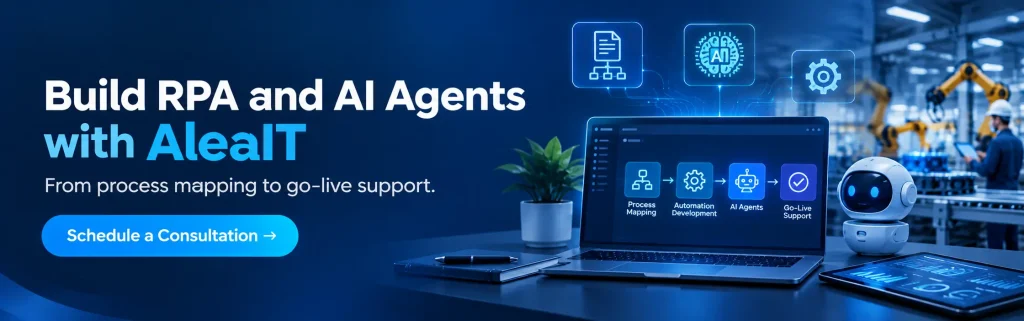
AleaIT builds custom RPA, AI agents and ERP/MES integrations for manufacturers that need automation beyond rule-based bots. As an RPA development company and AI agent development company, we cover the full path from process discovery to monitored operation.
- RPA and workflow automation for orders, invoices, inventory and reporting
- AI agents for exceptions, document-heavy work and decision support
- ERP and MES integration across legacy and modern systems
- Custom AI solutions tailored to your plants
To discuss your plant, talk to our team about RPA and workflow automation development or our AI agent development company services.
The Future of RPA in Manufacturing
RPA in manufacturing is moving from fixed scripts to adaptive, context-aware automation.
Rule-based bots will keep handling stable, high-volume work, but more plants will connect them to systems that read documents, interpret exceptions and act with approval.
Intelligent automation will become the norm, and the manufacturers that start with a solid RPA base will adopt it fastest.
The direction is clear: RPA for dependable execution, and AI agents for the judgment that scripts never had.
Conclusion
RPA in manufacturing removes the manual data work that slows plants down, and it works best when you start with one stable, high-volume process.
Rule-based bots have limits, and AI agents now cover the exceptions, documents and decisions they cannot.
The strongest approach is a hybrid, backed by governance, a clear cost model and measured payback. Whether you are weighing the cost, comparing platforms or planning manufacturing automation across plants, the next step is the same: pick one process and prove it.
Book an automation assessment with AleaIT, or hire AI agent developers to extend your automation with AI agents.
Frequently Asked Questions
RPA (robotic process automation) in manufacturing uses software bots to automate repetitive, rule-based digital tasks such as order entry, invoice matching, inventory updates and compliance reporting. It automates data and office work, not physical production tasks.
No. RPA bots are software that automate digital tasks, while industrial robots are physical machines that weld, assemble or pack. Many manufacturers use both: robots on the line, and RPA for the orders, data and paperwork around it.
The strongest use cases are high-volume, rule-based processes: order processing, inventory reconciliation between ERP and warehouse systems, procurement and supplier onboarding, invoice-to-PO matching, quality and compliance reporting, and BOM updates. Start where manual re-entry between systems causes delays or errors.
Manufacturing RPA programs commonly range from about $40,000 to $600,000, depending on scope. A single bot typically costs about $5,000 to $15,000, and licences are usually a minority of the total. Costs are industry benchmarks, so they vary by vendor and project.
Typical benchmarks are 6 to 10 weeks for one stable workflow, 3 to 6 months for multi-system programs, and 6 to 12 months for enterprise rollouts across plants. Timelines include discovery, build, testing and early tuning.
RPA follows fixed, rule-based steps and suits structured, repeatable tasks. AI agents read context, handle unstructured inputs like emails and PDFs, make decisions and manage exceptions. In manufacturing, RPA suits stable high-volume work, and AI agents suit variable or judgment-based work.
Partly. AI agents can take over tasks where rule-based bots break, such as exception handling and document-heavy work. But RPA stays efficient for stable processes, so many manufacturers combine them: AI agents for judgment, RPA for reliable execution, with approvals and audit logs.
Choose a partner with ERP and MES integration experience, the ability to build both RPA and AI agents, strong security and audit practices, and post-go-live support. Ask for manufacturing examples and how they handle exceptions, maintenance and cost estimates