Key Takeaways
- An enterprise AI assistant is a conversational AI interface that connects to internal systems such as ERP, CRM, HR, and reporting tools to retrieve and reason over live business data while enforcing existing user permissions.
- It uses natural-language understanding, intent routing, API-based system integrations, multi-source reasoning, RAG, and role-based access controls to provide grounded answers from enterprise data.
- Common integrations include ERP platforms such as Odoo, Dynamics 365, SAP, and NetSuite; CRM platforms such as Salesforce and HubSpot; HR systems; and reporting or BI tools.
- Enterprise AI assistant development typically costs $30,000 to $150,000+, depending on integrations, data complexity, security requirements, AI capabilities, workflow automation, and voice functionality.
- The process typically includes discovery and use-case mapping, architecture and integration design, intent routing and reasoning, ERP/CRM/HR integration, testing and governance, followed by deployment and iteration.
- Unlike a traditional chatbot, an enterprise AI assistant connects to governed business data, respects role-based permissions, and can retrieve information across multiple enterprise systems.
- They reduce system-hopping, help employees find business information faster, support cross-system queries, reduce manual data retrieval, and provide answers within existing access boundaries.
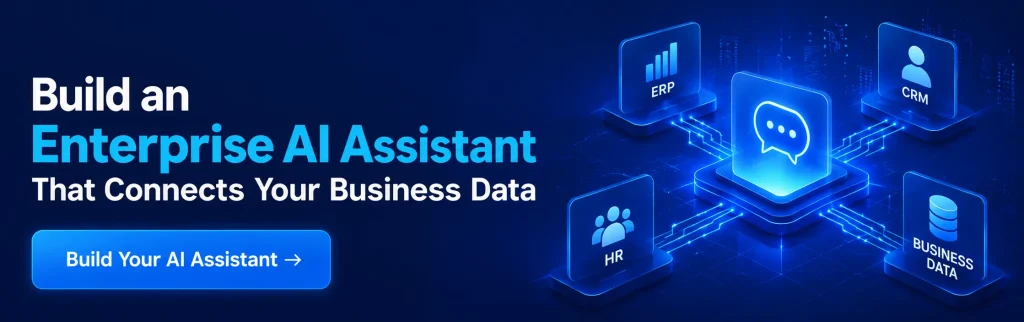
Enterprise data is often scattered across ERP, CRM, HR, finance, and other business systems, forcing employees to switch between platforms for simple answers. An enterprise AI assistant brings these systems together through a single conversational interface much like a Jarvis-style AI sidekick for your business.
But building one requires more than connecting an LLM. Secure integrations, access controls, accurate data retrieval, workflow automation, and governance are essential.
This guide explains how to build an enterprise AI assistant that securely connects ERP, CRM, HR, and business data to support real-world business workflows.
What Is an Enterprise AI Assistant?
An enterprise AI assistant is a natural-language interface that connects to a company’s internal systems ERP, CRM, HR, and reporting tools and answers employee questions by retrieving and reasoning over live business data, rather than general knowledge.
Unlike a standalone chatbot, it’s grounded in governed enterprise data and respects existing role-based permissions, so answers are accurate, current, and scoped to what each user is actually allowed to see. It works over text or voice and can span multiple systems in a single conversation.
Enterprise AI Assistant vs. Chatbot vs. AI Agent
A chatbot answers questions from a fixed script or general knowledge base, with little to no connection to live business systems. AI chatbot development typically focuses on conversational interfaces, FAQs, customer support, and predefined workflows, whereas an AI agent goes further by autonomously planning and executing multi-step tasks across tools with minimal human input.
An enterprise AI assistant sits between the two: it is conversational like a chatbot but grounded in real ERP/CRM/HR data and governed with agent-like capabilities. Unlike AI chatbot development, which primarily emphasizes conversation and predefined interactions, an enterprise assistant uses intent understanding and reasoning to retrieve relevant business information while maintaining access controls.
It is typically focused on answering and assisting rather than acting unsupervised. For a full breakdown of how conversational AI agents work, see Conversational AI Agents for Business.
Why Enterprises Need an AI Assistant Across ERP, CRM & HR
Most employees juggle 8+ systems daily just to answer routine questions which invoice is overdue, what a customer’s contract terms are, how many vacation days are left, or which report has the real numbers.
Nobody remembers all of it; what they remember instead is who to ask or which dashboard to open, and that tribal knowledge slows everything down. This is where enterprise ERP software development can play a key role by connecting core business processes, data, and workflows into a more unified enterprise environment.
An enterprise AI assistant collapses that system-hopping into a single conversational layer, so the question gets answered where it’s asked instead of being routed through three tools and a Slack message to the one person who “knows where that lives.”
The Cost of Disconnected Systems (Time, Errors, Slow Decisions)
Every extra login, every “let me check and get back to you,” and every manually stitched-together report is a small tax on the business and it compounds. Decisions slow down because the person with the answer isn’t the person who needs to act on it.
Errors creep in when data gets copied between systems by hand. None of this shows up as one big visible cost; it shows up as a thousand small delays that never get measured but are felt everywhere.
Why Generic AI Tools (ChatGPT, Copilot) Fall Short for Enterprise Data
General-purpose AI tools are trained on public information, not your company’s live ERP records, CRM pipeline, or HR policies so they either can’t answer enterprise-specific questions at all, or worse, they answer confidently with something that sounds plausible but isn’t grounded in your actual data.
They also have no concept of who’s asking: a generic AI assistant doesn’t know that a shop-floor employee shouldn’t see payroll data, or that a regional sales rep shouldn’t see another region’s pipeline.
An enterprise AI assistant solves both problems by grounding every answer in retrieval from governed company data and enforcing the same permission structure your systems already use it doesn’t invent a parallel access model, it inherits the one you have.
Core Architecture of an Enterprise AI Assistant
Every enterprise AI assistant, regardless of vendor, is built on the same five functional layers. Picture a plant manager asking, over voice, “Are we behind on the Meridian order, and do we have the parts?” that single question has to pass through all five layers below before an answer comes back.
1. Conversational Language Layer (NLU / Intent Understanding)
This is the layer that parses what the employee actually said text or voice and extracts the intent and the relevant entities. In the Meridian example, this layer identifies two intents (“order status” and “inventory availability”) and one entity (“Meridian order”), regardless of how casually the question was phrased.
2. Intent Routing Layer (Mapping Questions to the Right System)
Once intent is understood, this layer decides which backend system actually holds the answer. “Order status” routes to the ERP; “inventory availability” routes to a different ERP module or a warehouse management system. This is the layer that removes the guesswork of “which dashboard has this” from the employee entirely.
3. Systems Integration Layer (ERP, CRM, HR, Reporting APIs)
This layer executes the actual calls via API into the ERP, CRM, HR, or reporting systems the routing layer pointed to. It’s the connective tissue between the conversation and the real, live data, and it’s where an ai assistant for erp and an ai assistant for crm actually plug into the systems of record rather than a stale export.
4. Multi-Source Reasoning (Combining Answers Across Systems)
Many real questions, like the Meridian example, don’t have a single-system answer. This layer combines results from more than one integration call order status from the ERP, parts availability from inventory into one coherent, plain-language response instead of forcing the employee to ask two separate questions in two separate tools.
5. Governance & Role-Based Access Control
Before any answer is returned, this layer checks it against the employee’s existing permissions. Responses are scoped to the access that person already has in the underlying systems an enterprise AI assistant doesn’t create a new, separate access model; it enforces the one your ERP, CRM, and HR systems already define. This is also where every query gets logged for audit purposes.
How an Enterprise AI Assistant Works
An enterprise AI assistant works by understanding a natural-language question, using AI agent development principles to route the intent to the right reasoning path, retrieving grounded data from connected ERP, CRM, HR, and reporting systems through a governed integration layer, reasoning across whichever sources are relevant, and returning a plain-language answer scoped to the asking employee’s existing permissions end to end, typically in seconds.
Core Layers of the Architecture
Understanding Layer (Language & Intent) LLM-based natural language understanding, intent classification, and entity extraction this is the layer that reads what the employee actually means, not just the keywords they used.
Knowledge Layer (RAG + Enterprise Data) Retrieval-augmented generation over ERP/CRM/HR data a vector index of governed documents and records that the assistant retrieves from before answering, so responses are grounded in real company data rather than the model’s general training.
Action Layer (Tools & Integrations) API-based tool calls that query ERP, CRM, HR, and reporting systems directly, executing lookups (and where appropriate, actions) with validation before anything is returned to the user.
Governance & Security Layer Role-based access checks, audit logging, and permission validation before the assistant answers or acts the same access boundaries that already exist in the underlying systems, enforced at the assistant layer too.
Data Flow: From Question to Answer
- User asks in natural language (text or voice).
- Intent and entities are extracted from the question.
- Policy and permission check runs against the user’s role.
- Query is routed to the correct system(s) ERP, CRM, HR, or reporting.
- Results are combined, grounded, and returned as a plain-language answer, with the option for a natural follow-up question.
How to Build an Enterprise AI Assistant: Step-by-Step Development Process
Building an enterprise AI assistant isn’t a single integration project it’s a structured process that moves from understanding the business problem to a governed, production-ready system. Here’s how to build an enterprise AI assistant in six stages.
Step 1 – Discovery & Use Case Mapping
Start by identifying the highest-friction questions employees ask repeatedly and which systems those questions actually live in. This stage maps out priority use cases, the systems involved, and the roles that will use the assistant it sets the scope for everything that follows.
Step 2 – Architecture & Integration Design
With use cases defined, the team designs how the five architecture layers will connect to each specific system in your environment which APIs are available, what authentication each system requires, and where the reasoning layer needs to combine data across sources.
Step 3 – Building the Intent Routing & Reasoning Layer
This is where the conversational core gets built: the models and rules that classify intent, extract entities, and route questions to the correct backend system, plus the multi-source reasoning logic for questions that span more than one system.
Step 4 – Connecting ERP, CRM & HR Systems
Each system gets connected through its APIs, one integration at a time, with real data flowing through the assistant for the first time. This is typically the most time-intensive step, since every system has its own data model, authentication method, and quirks.
Step 5 – Testing, Governance Review & Access Scoping
Before anyone outside the build team touches it, the assistant goes through structured testing against real questions, along with a governance review to confirm role-based access is enforced correctly across every connected system.
Step 6 – Deployment & Iteration
The assistant is rolled out to real users often starting with one department or use case and refined based on the questions people actually ask, which are rarely identical to the ones mapped during discovery.
Key Integrations: Connecting Your AI Assistant to Business Systems
An enterprise AI assistant is only as useful as the systems it can actually reach. Here’s how it plugs into the four categories of business systems most companies need connected.
1. ERP Integration (Example: Odoo, Dynamics 365, SAP, NetSuite)
ERP integration lets the assistant answer questions about orders, inventory, production status, and financials by pulling directly from your ERP’s live records rather than relying on static reports.
Platforms such as Odoo and Microsoft Dynamics 365 are common ERP backbones for these implementations. Odoo ERP development can support customized modules, workflows, and integrations that connect enterprise data with the assistant.
Similarly, Dynamics 365 development enables tailored business applications, workflows, and integrations across Microsoft’s enterprise ecosystem, helping the assistant access relevant business data within governed workflows.
2. CRM Integration (Salesforce, HubSpot, Dynamics CRM)
CRM integration connects the assistant to pipeline, account, and customer-history data, so sales and account teams can ask about deal status or customer context in plain language instead of building a filtered view first.
3. HR System Integration (Policies, Leave, Employee Data)
HR integration lets employees ask about leave balances, benefits, or policy details directly, with answers scoped so someone only sees their own data not a colleague’s.
4. Reporting & BI Tool Integration
Reporting integration connects the assistant to existing dashboards and BI tools, so it can surface a specific metric or trend conversationally instead of requiring someone to build or find the right report first.
Related Insight:- AI development companies in USA
Common Challenges When Building an Enterprise AI Assistant (And How to Solve Them)
1. Employees Don’t Know Which System Has the Answer
Challenge: Most employees can’t reliably say which of 8+ systems holds the answer to a given question, so they either guess, ask a colleague, or give up.
Solution: The intent routing layer takes that decision away from the employee entirely they ask the question in plain language and the assistant determines which system to query.
2. Avoiding Hallucinated Answers on Business-Critical Data
Challenge: A confident but wrong answer on business-critical data is worse than no answer at all.
Solution: Every response is grounded in retrieval from live, governed enterprise data rather than the model’s general training, so answers are tied to what the connected systems actually contain.
3. Handling Questions That Span Multiple Systems
Challenge: Real questions like order status plus parts availability often need data from more than one system, and most tools can only answer single-system queries.
Solution: The multi-source reasoning layer combines results from multiple integration calls into one coherent answer instead of forcing the employee to ask multiple separate questions.
4. Making Voice/Conversational Interfaces Feel Natural, Not Robotic
Challenge: A voice-first ai assistant that requires rigid phrasing or produces stilted answers gets abandoned quickly, no matter how accurate it is.
Solution: Strong NLU and a well-tuned understanding layer let employees ask questions the way they’d naturally ask a colleague, with room for follow-up questions in the same conversation.
5. Enforcing Role-Based Data Access
Challenge: Without careful design, an AI assistant can accidentally surface data a user shouldn’t see, undermining trust in the whole system.
Solution: The governance and role-based access layer checks every query against the user’s existing permissions before an answer is returned, inheriting the access boundaries already defined in the underlying systems.
How Much Does It Cost to Build an Enterprise AI Assistant?
An enterprise AI assistant typically costs between $30,000 and $150,000+, depending on integrations, data complexity, AI capabilities, security requirements, and whether it supports text, voice, or both.
A basic assistant connected to one business system may cost around $30,000–$50,000, while a more advanced enterprise solution with multiple integrations, RAG, workflow automation, and voice capabilities can exceed $120,000.
Enterprise AI Assistant Cost Breakdown
| Type of AI Assistant | Estimated Development Cost |
| Basic text-based AI assistant | $30,000–$50,000 |
| AI assistant with ERP/CRM integration | $50,000–$90,000 |
| Multi-system enterprise AI assistant | $80,000–$120,000 |
| Advanced voice + text AI assistant | $120,000–$150,000+ |
These are typical development ranges rather than fixed prices. Your final AI development cost depends on the number of integrations, data architecture, security requirements, user volume, and complexity of the workflows being automated.
Case Study – Voice-First Enterprise Intelligence for a Manufacturing Company
A manufacturing and distribution enterprise needed employees to get answers from 8+ disconnected systems without hunting through dashboards or waiting on colleagues who “knew where that lived.” Working with a team of 8 members over 12 weeks, AleaIT built a voice-first enterprise AI assistant grounded in the five-layer architecture above.
Challenge – Employees Didn’t Know Which System Had the Answer: Revenue, inventory, and project data lived across separate ERP, CRM, and reporting systems, and most employees only knew one corner of it well that knowledge mostly lived with whoever had set the system up.
Solution: An intent-routing layer mapped natural-language questions to the correct backend system automatically, so employees never had to know or choose.
Challenge – Hallucination Risk on Business-Critical Data: A general-purpose model asked “what’s our revenue this month” would produce a plausible-sounding number that wasn’t necessarily the real one.
Solution: Every response was grounded in retrieval-augmented generation over live, governed enterprise data not general model knowledge.
Challenge – Multi-System Questions: Real questions, like “why did revenue drop compared to last month,” needed numbers from one system and context — delayed projects, churned accounts from another.
Solution: A multi-source reasoning layer queried multiple systems for a single question and combined the results into one coherent answer.
Challenge – Voice Had to Feel Natural, Not Like a Command List: Rigid, keyword-triggered voice commands broke the moment someone phrased a question slightly differently than expected.
Solution: A tuned conversational language layer supported natural voice questions and follow-ups, closer to how a colleague would answer than a fixed voice-command menu.
Challenge – Role-Based Access Across Departments: Not every employee should be able to ask for and receive the same information; HR and financial data in particular needed access boundaries.
Solution: A governance layer scoped every response to the employee’s existing permissions, keeping sensitive data inside the same boundaries the underlying systems already enforced.
Why Choose AleaIT to Build Your Enterprise AI Assistant
AleaIT’s approach is built around the same capabilities proven in the manufacturing case study above: intent routing that removes system-hopping, multi-source reasoning that answers questions no single system can answer alone, and governance that inherits your existing access model instead of creating a new one to manage.
If you’re evaluating build-vs-buy for an internal AI assistant, our team has taken this from discovery through a live, voice-first production deployment not just designed it on a whiteboard.