Key Takeaways
- LangChain is best for: RAG chatbots, AI assistants, and simple LLM applications.
- LangGraph is best for: Multi-agent systems, complex workflows, and stateful AI agents.
- Best choice for enterprises: LangChain + LangGraph together for orchestration and scale.
- Cost: Frameworks are free; development cost depends on AI talent, infrastructure, APIs, and complexity.
- MVP cost: $8,000–$25,000 for basic AI applications.
- Production AI systems: $40,000–$150,000+ depending on workflow complexity.
- Choose LangChain when: You need faster prototyping and straightforward AI workflows.
- Choose LangGraph when: Your AI system needs memory, human approval, and long-running processes.
- Need a vector database? Yes, for RAG applications requiring accurate retrieval from business data.
- Hiring decision: Hire LangChain/LangGraph developers when you need production reliability, faster delivery, or lack internal LLM expertise
LangChain is a modular framework for building LLM applications with chains, agents, and tools, best for retrieval-augmented generation (RAG) pipelines and straightforward conversational bots. LangGraph is a graph-based orchestration layer for stateful, multi-step agent workflows, best for multi-agent systems and processes that must persist across sessions.
This isn’t a niche decision anymore. LangGraph now leads enterprise framework adoption at 41%, ahead of CrewAI at 17% (Digital Applied, via WebProNews), and multi-agent systems grew 327% in under four months according to Databricks, cited in the same report.
Most production systems in 2026 use both frameworks together, since LangChain handles the LLM plumbing while LangGraph manages control flow and state.
What Is LangChain? (Definition, Components & Use Cases)
LangChain is an open-source framework for composing large language model calls, tools, and data sources into working applications. It gives developers pre-built abstractions instead of hand-writing prompt logic and API glue code from scratch every time a project needs to talk to an LLM, a database, or an external API.
Its core building blocks are:
- Chains – sequences of calls (prompt → LLM → parser → next step) that can be composed and reused.
- Agents – LLM-driven decision-makers that choose which tool or action to take next based on the input.
- Tools – functions the LLM can call, such as a search API, calculator, or internal database query.
- Retrievers – components that pull relevant context from a vector database or document store for RAG.
- LCEL (LangChain Expression Language) – a declarative syntax for chaining components together in a readable, composable way.
In practice, teams reach for LangChain when building a RAG chatbot that answers questions from an internal knowledge base, a content generation pipeline that drafts and formats text at scale, or a customer support bot that routes queries and pulls answers from a help center. It’s the fastest path from “we have an LLM API key” to “we have a working prototype.”
What Is LangGraph? (Definition, Components & Use Cases)
LangGraph is a library for building stateful, multi-agent applications as explicit graphs, where each step is a node and the flow between steps is controlled by edges rather than a fixed linear chain. It was built by the LangChain team specifically to handle the cases where a simple chain breaks down: workflows with branching logic, loops, retries, and long-running state.
Its core concepts are:
- Nodes – individual units of work (an LLM call, a tool call, a human review step).
- Edges – the logic that decides which node runs next, including conditional branches.
- State – a shared object that persists and updates as execution moves through the graph.
- Checkpointing – the ability to save graph state and resume later, even after a crash or restart.
- Human-in-the-loop – built-in patterns for pausing execution to get human approval before continuing.
LangGraph is the right tool for multi-agent systems where several specialized agents hand off work to each other, long-running workflows that might take minutes or days to complete, and production agents that need to survive restarts without losing progress something a plain LangChain chain isn’t designed to do on its own.
LangChain vs LangGraph – Core Differences
| Dimension | LangChain | LangGraph |
| Architecture | Linear/sequential chains | Graph-based state machine |
| State management | Minimal, per-chain memory | Persistent, checkpointed state |
| Best for | RAG, single-agent bots | Multi-agent, long-running workflows |
| Learning curve | Lower, faster to prototype | Steeper, more setup upfront |
| Production readiness | Good for simple flows | Built for complex, resilient systems |
| Typical use case | Support bot, content pipeline | Multi-agent research assistant |
This table is also the fastest way to see why the two aren’t really competitors LangGraph is often built directly on top of LangChain components, using LangChain for the LLM/tool layer and LangGraph for the orchestration layer above it.
LangChain vs LangGraph Cost, Team Size & Timeline Before You Build
Both frameworks are free and open-source, so there’s no licensing cost either way. The real budget line items are engineering talent, infrastructure (compute, hosting, vector database), and observability tooling like LangSmith or LangGraph Platform not the framework itself.
Typical Budget Range for a LangChain or LangGraph Project (MVP vs Production)
A working MVP or prototype a single-agent RAG chatbot or a basic LangGraph workflow with two or three nodes typically runs $8,000–$25,000, covering a few weeks of focused development, a managed vector database tier, and baseline LLM API usage.
A production-grade build multi-agent orchestration, evaluation pipelines, human-in-the-loop review, monitoring, and hardened error handling typically runs $40,000–$150,000+, depending on the number of agents, integration complexity, and whether the system needs to meet compliance or uptime requirements. Ongoing costs after launch (LLM API usage, vector database hosting, observability tooling) generally land between$500 and $5,000+ per month, scaling with traffic and context size.
Team Size You Actually Need to Build with LangChain or LangGraph
For an MVP, one AI/backend engineer comfortable with LangChain or LangGraph can usually carry the build alone, sometimes supported part-time by a product owner to define scope.
For a production build, expect a small team: one senior AI/backend engineer to own the orchestration logic, one ML-aware developer to handle prompt engineering and evaluation, and a DevOps engineer if the system is self-hosted rather than running on a managed platform. Three to five people is the realistic range for a production-grade agent system with real users depending on it.
Realistic Timeline: LangChain/LangGraph MVP vs Production Build
An MVP typically takes 2–6 weeks from kickoff to a demoable prototype, assuming scope stays tight and the team isn’t waiting on data access or integration approvals.
A production-grade build with evaluation, observability, and hardened reliability built in typically takes 3–6 months, since the additional time goes into testing edge cases, tuning retrieval quality, and building the monitoring that lets a team trust the system in front of real users.
Why Every LangChain/LangGraph RAG Project Needs a Vector Database
A vector database stores your content as numerical representations (embeddings) instead of plain text, so LangChain or LangGraph can retrieve the most relevant information for a query rather than just keyword matches.
Without one, a RAG system has no way to search your documents by meaning it either sends everything to the LLM (expensive, slow, and often inaccurate) or misses the right context entirely. This is why every production RAG pipeline regardless of whether it’s built with LangChain or LangGraph includes a vector database as a core component, not an optional add-on.
When a user asks a question, the vector database compares the meaning of that question against your stored data and returns the closest matches even if the exact words don’t appear in your documents.
LangChain and LangGraph both use this retrieval step to “ground” the LLM’s response in your actual business data, which is what separates a RAG chatbot from a generic ChatGPT-style answer that can hallucinate facts.
What Happens Without a Vector Database
- The LLM answers from general training data only, with no access to your company’s documents, product data, or knowledge base
- Responses become generic, outdated, or simply wrong for anything specific to your business
- There’s no way to scale retrieval beyond a handful of documents pasted directly into the prompt
Why Your Business Needs Vector Database Development Services
A properly implemented vector database is what turns a chatbot from “sounds plausible” into “actually grounded in our data.” It directly drives three outcomes that matter to the business: more accurate retrieval of the right document or record, answers that are grounded in verified source material instead of the model’s guesswork, and a measurable drop in hallucinated responses that could otherwise erode customer trust.
Popular options include Pinecone, Weaviate, and Chroma, each with different tradeoffs around hosting, scale, and query latency the right choice depends on your data volume and existing infrastructure, which is worth a dedicated conversation rather than a generic recommendation here.
Getting this layer right the first time, through experienced vector database development services, is usually cheaper than re-architecting retrieval after launch once accuracy problems surface.
When to Hire a LangChain Developer (vs Build In-House)
Building in-house makes sense when your team already has LLM experience and the project timeline has room for a learning curve. Hiring externally makes sense when any of the following is true:
- No in-house LLM expertise – your engineers are strong generalists but haven’t shipped a production RAG or agent system before, and the learning curve would eat into your launch window.
- Tight timeline – you need a working prototype in weeks, not months, and can’t afford the ramp-up time of a first LangChain or LangGraph project.
- Need production-reliability from day one – this isn’t an internal experiment; it’s customer-facing, and failures have real cost, so you need someone who’s already hit and solved the common failure modes.
- Retrieval accuracy is mission-critical – the project leans heavily on RAG, and getting the vector database and retrieval strategy wrong the first time is expensive to unwind later.
If two or more of these apply, bringing in a team that has already shipped LangChain and LangGraph projects usually pays for itself in avoided rework. If none apply and your team has some runway, building in-house is a reasonable and often cheaper path.
Whether you need to hire LangChain developer talent for a focused build or a full team to own your agent architecture, our team can scope the right approach.
If two or more of these sound familiar, it’s probably worth a conversation before you sink weeks into a first attempt. This is the kind of build our RAG and AI agent development team handles regularly, vector database work included, so you’re not re-architecting retrieval six months in.
LangChain vs LangGraph – Which Should You Choose?
If you’re just getting started, use LangChain. It’s faster to prototype with, has the larger ecosystem of pre-built integrations, and lets you get a working RAG chatbot or simple agent running in days rather than weeks.
Move to LangGraph once your project needs any of the following: reliable state that survives across multiple steps or sessions, multiple agents that need to coordinate with each other, or human-in-the-loop checkpoints where a person needs to approve or redirect the AI mid-task. These are exactly the situations where LangChain’s linear chains start to break down.
In practice, most production AI systems in 2026 don’t pick one over the other they use both. LangChain handles the tools, retrievers, and individual agent logic, while LangGraph orchestrates how those pieces work together as a reliable, stateful system. Think of LangChain as what each agent knows how to do, and LangGraph as how the agents work together without losing track of what’s happened.
If you’re still comparing vendors or trying to figure out who can actually build this for you, it’s worth looking at a broader list of AI agent development companies before committing to a team.
Frequently Asked Questions
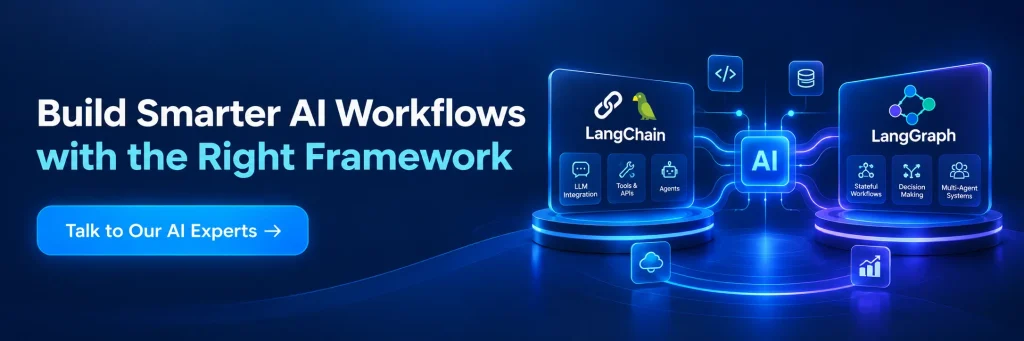
Compare LangChain and LangGraph on architecture, cost, team size, and timeline — and know exactly when to hire a developer for your AI project.
Yes, LangChain is open-source and free to use. Costs come from LLM API usage, hosting, and any managed tooling like LangSmith you choose to add on top, not from the framework itself.
You need a vector database specifically for RAG use cases, where the system retrieves relevant context from your own documents or data before generating an answer. If your project doesn’t involve retrieval over custom data, a vector database isn’t required.
A basic RAG chatbot MVP typically takes 2–6 weeks to build. A production-grade version with evaluation, monitoring, and hardened retrieval accuracy typically takes 3–6 months.
Yes, and it’s the most common setup in production. LangChain handles LLM calls, tools, and retrieval, while LangGraph manages the stateful orchestration and control flow around those components.
Costs vary by scope and engagement model, but an MVP-level LangChain or LangGraph build typically runs $8,000–$25,000, while a full production build typically runs $40,000–$150,000+ depending on complexity and team size.
As a LangChain development company with hands-on LangGraph experience, AleaIT builds everything from MVP prototypes to production-grade multi-agent systems — including the vector database work that makes RAG actually reliable.